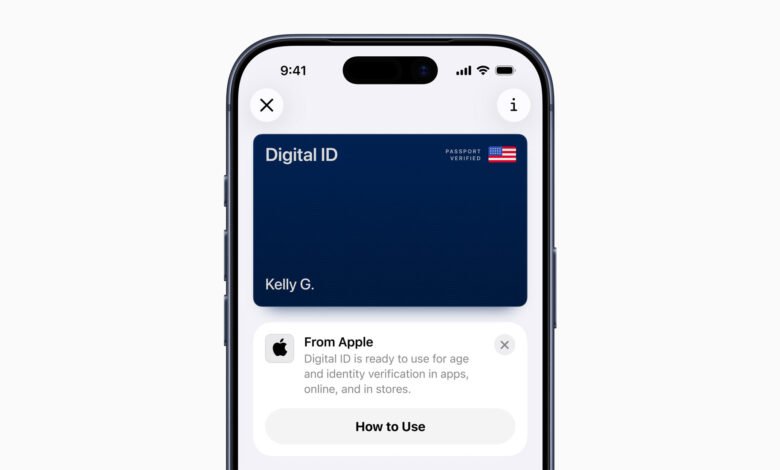

Apple’s long-running quest to kill the physical wallet is taking a significant, if somewhat limited, new step. The company has announced “Digital ID,” a new feature that allows users to add information from their U.S. passport to Apple Wallet.
For now, this new Digital ID is launching in beta with a very specific use case: getting through TSA checkpoints at over 250 U.S. airports for domestic travel.
Your Passport is Now in Your Phone (Sort Of)
This move expands on Apple’s existing program for adding state driver’s licenses and IDs to Wallet, which is currently live in 12 states and Puerto Rico. The new Digital ID feature is primarily aimed at giving more people a way to use a digital ID, even if they don’t have a REAL ID-compliant driver’s license.
But let’s be clear about what this isn’t. Apple explicitly states that the Digital ID is not a replacement for a physical passport. You absolutely cannot use it for international travel or border crossings. And since the TSA rollout is still in beta, officials are advising travelers to continue carrying their physical ID as a backup.
How to Add and Use It
The setup process is an involved, multi-step verification:
- Users tap the “Add” (+) button in the Wallet app, select “Driver’s License or ID Cards,” and then choose “Digital ID”.
- You then use your iPhone to scan the photo page of your physical U.S. passport.
- To ensure the passport is authentic, you’ll also scan the chip embedded on the back of the passport.
- Next, you have to take a selfie for verification.
- As a final security step, you’ll be prompted to “complete a series of facial and head movements”.

Presenting the ID at a TSA checkpoint is designed to work just like Apple Pay, with a focus on privacy. You don’t have to unlock your phone or hand it over.
- You double-click the side or Home button to access Wallet and select your Digital ID.
- Hold your iPhone or Apple Watch near the identity reader.
- Your device will display the specific information being requested by the TSA.
- You must authenticate with Face ID or Touch ID to authorize sharing that information.
The Privacy Pitch and What’s Next
Apple is heavily emphasizing the privacy and security angles. The company states that all Digital ID data is encrypted and stored on the device. Critically, Apple says it cannot see when or where users present their ID, nor can it see what data was shared.
The future of this technology, however, points beyond airports. Apple notes that users will eventually be able to present their Digital ID to other businesses and organizations. The most obvious use case is age verification, both in-person and online.
Imagine showing your ID at a bar, event venue, or for an online alcohol delivery service like Uber Eats. The key benefit, Apple suggests, is that you could confirm you are “over 21” without having to share your full name, home address, or exact date of birth.
Meanwhile, iOS 26.2 Beta is Packed with Updates
While the Digital ID is grabbing headlines, the first beta of iOS 26.2 has also been released, with a public launch expected sometime in December. The update is filled with a laundry list of new features and refinements:
- Liquid Glass Slider: The new “Liquid Glass” design for the Lock Screen clock now has a slider, allowing users to adjust its opacity from nearly transparent to more solid.
- “Urgent” Reminders: The Reminders app is getting a much-requested feature. When setting a time for a reminder, you can enable an “Urgent” option that will trigger an actual alarm at that time, not just a notification.
- AirPods Translation in EU: Live translation on AirPods is officially expanding to the EU. Apple had to implement additional measures to ensure the feature met the EU’s Digital Markets Act (DMA) requirements.
- Apple News Navigation: The Apple News app will see a new “Following” tab added to the bottom navigation bar, which will house your favorites, saved stories, and history. There will also be new quick-access buttons for topics like Food, Politics, Puzzles, and Sports.
- Apple Podcasts Upgrades: Podcasts will now feature AI-generated chapters for episodes. A new “Podcast Mentions” function will also automatically detect when a host references another show and add a link to it in the episode description.
- Offline Lyrics: Apple Music is getting offline lyric support, allowing users to see lyrics even without a Wi-Fi or cellular connection.
- Accessibility Flash: A new accessibility feature will allow users to have the iPhone’s screen flash when a notification is received.