
The rise of browser-based editing tools has significantly changed how video content is produced. An online video editor now allows users to create, edit, and publish videos without installing heavy software or relying on high-performance hardware. This shift has made video production more accessible to creators, marketers, educators, and businesses that need fast content output.
Today’s online video editor platforms go beyond simple trimming and cutting. Many now integrate AI tools, template systems, animation features, and social media optimization workflows. As competition grows, several platforms have emerged as leaders in balancing ease of use, creative flexibility, and production speed.
1. Pollo AI
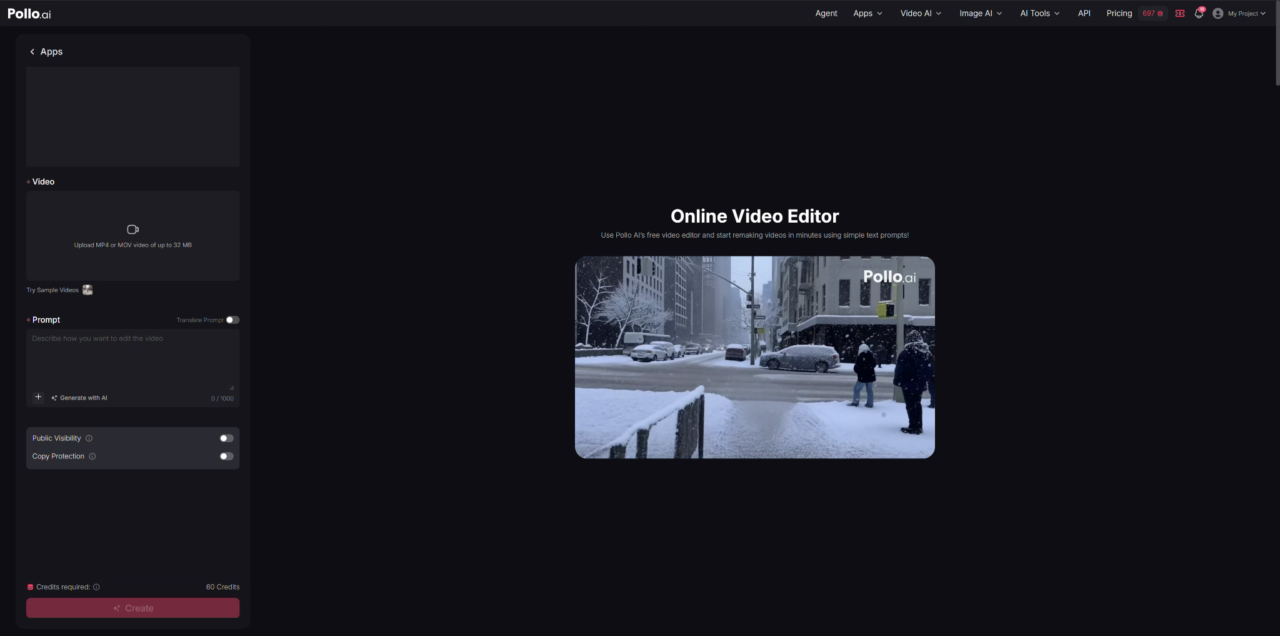
Pollo AI functions as an AI-driven online video editor designed primarily for commercial and marketing use cases, focusing on reimagining and transforming existing videos through simple text prompts. Instead of relying on traditional timeline editing, it allows users to upload footage and apply AI-based changes such as object removal, character replacement, background transformation, and full scene restyling. The platform integrates tools such as AI Video Editor, Video to Video AI, Image to Video AI, and Text to Video AI, making it particularly suitable for producing promotional and advertising-ready video content.
Beyond basic editing, Pollo AI is structured around business-oriented video production workflows. It supports a wide range of commercial content formats, including UGC video ads, product videos, Facebook ad videos, testimonial videos, clone viral videos, explainer videos, story videos, and cinematic teaser content used in marketing campaigns. It also supports multiple AI models such as Veo 3, Kling AI, Runway, PixVerse AI, and Hailuo AI, enabling different visual styles and motion qualities to match various brand and promotional needs within the same online video editor environment.
Features
Make tech-ish your favourite news source
Star tech-ish.com on Google. We move up your daily feed.
- Prompt-based online video editor for full scene re-editing
- AI object removal and scene modification
- Character transformation (hair, outfit, age, identity)
- Background and environment replacement
- Cinematic style transfer (anime, 3D, film styles)
- Video-to-video and image-to-video workflows
- Multi-model AI support (Runway, Kling AI, Sora 2, etc.)
- UGC ads, product videos, and social media templates
Why Choose Pollo AI
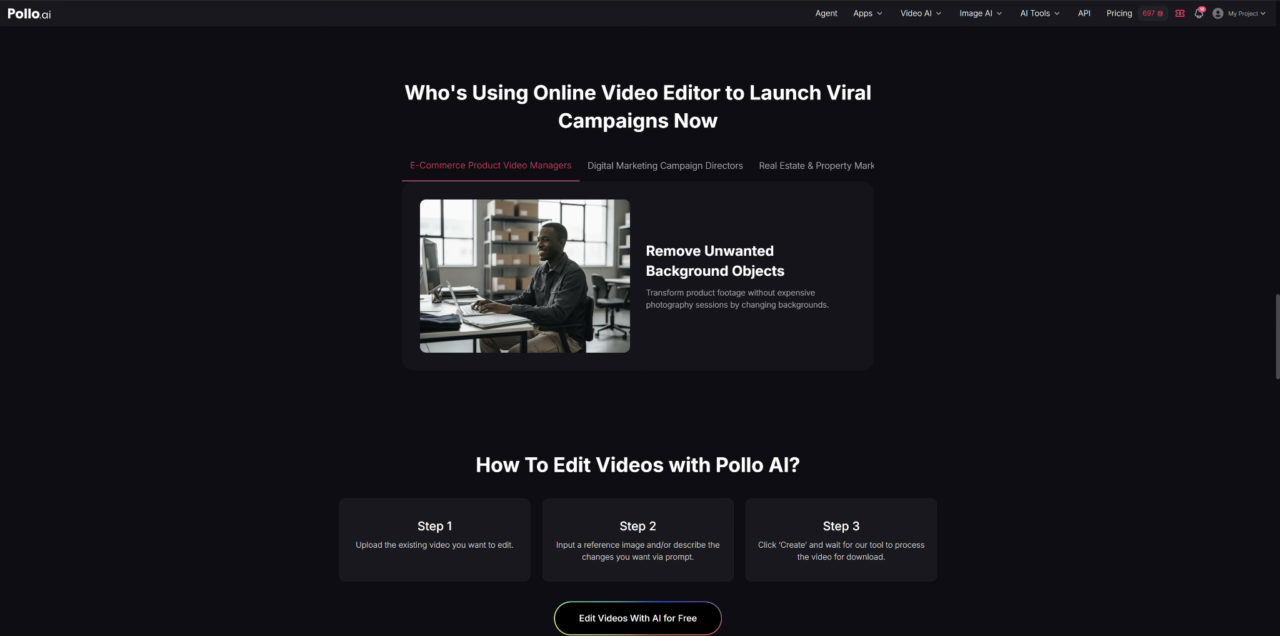
Pollo AI stands out as an online video editor and also works effectively as an Instagram video maker, because it allows users to edit videos through natural language instead of manual frame-by-frame adjustments. This makes it especially useful for creators who want to quickly rework existing footage without reshooting or using complex post-production software. Users can change characters, environments, and visual styles while maintaining overall scene consistency.
It is particularly effective for marketing and social media content creation, where speed and variation are important. The platform enables users to generate multiple versions of the same video for different campaigns, such as product ads or viral-style social clips. Compared to traditional online video editor tools, Pollo AI is more focused on AI-driven transformation rather than manual timeline editing, making it suitable for creators, marketers, and agencies producing high-volume video content.
My Tips: Pollo AI performs best when prompts clearly describe visual changes, especially for background and character adjustments.
2. CapCut Online
CapCut offers a widely used online video editor known for its simplicity and strong focus on short-form content creation. It provides a browser-based editing experience that includes trimming, transitions, filters, text overlays, and AI-assisted editing features. The platform is closely aligned with social media workflows, particularly for TikTok-style video production.
CapCut Online is designed for users who want quick editing without complex software learning curves. It includes templates, auto-captions, background removal, and AI effects that help accelerate production. As an online video editor, it is often used by content creators, influencers, and small businesses that prioritize fast turnaround over advanced cinematic control. The interface is structured to allow beginners to start editing immediately with minimal setup.
Features
- Drag-and-drop online video editing interface
- Auto captions and subtitle generation
- Social media video templates
- AI effects and filters
- Background removal tools
- Basic timeline editing system
- Music and sound library integration
Why Choose CapCut
CapCut Online is often chosen for its speed and accessibility. It is especially effective for short-form social content where rapid editing and publishing are important. The platform reduces technical barriers, making it suitable for beginners or creators who need to produce frequent videos quickly.
Its template-driven system also helps maintain consistency across content, which is useful for social media branding. However, compared to more advanced online video editor platforms, CapCut may feel limited for complex storytelling or cinematic editing workflows.
My Tips: CapCut Online is best for short videos; longer projects may require additional external editing tools.
3. Canva
Canva provides a versatile online video editor integrated into its broader design ecosystem. Originally known for graphic design, Canva now includes video editing tools that allow users to create presentations, social media videos, marketing content, and animated visuals using templates and drag-and-drop elements.
The platform is highly template-based, making it accessible for users without editing experience. It supports animations, transitions, stock media, and text effects, allowing users to create visually structured videos quickly. As an online video editor, Canva is widely used by marketers, educators, and businesses that prioritize design consistency and branding.
Features
- Template-based video editing system
- Drag-and-drop interface
- Stock images, videos, and music library
- Text animation tools
- Brand kit integration
- Simple timeline editing
- Presentation-to-video conversion
Why Choose Canva
Canva is often selected for its strong design-first approach. Unlike traditional editing tools, it emphasizes visual layout and branding consistency, making it suitable for marketing videos, educational content, and presentations.
It is less focused on cinematic editing and more on structured visual communication. This makes it ideal for businesses that need professional-looking videos without advanced editing complexity. However, it may not be suitable for users seeking detailed timeline control or high-end video effects.
My Tips: Canva works best when paired with strong visual assets; its limitations appear in advanced motion editing.
4. InVideo
InVideo is a template-driven online video editor designed for marketers, businesses, and content creators who need fast video production. The platform provides thousands of templates for ads, social media posts, explainer videos, and promotional content.
InVideo integrates AI-assisted scripting, media libraries, and automated editing tools that help users convert text into video content. It is structured around simplifying video creation for non-editors while still offering enough flexibility for customization. As an online video editor, it is often used for marketing campaigns and business content production.
Features
- Large template library for video creation
- Text-to-video automation tools
- Drag-and-drop editing system
- Stock media integration
- Voiceover and audio tools
- Social media export formats
- AI script-to-video generation
Why Choose InVideo
InVideo is chosen mainly for its efficiency in producing marketing and promotional videos. The platform allows users to quickly convert ideas into structured video formats using templates, reducing the need for manual editing.
It is particularly useful for businesses that need consistent video output across advertising channels. However, compared to more flexible online video editor platforms, it may feel somewhat constrained due to its heavy reliance on templates.
My Tips: InVideo is best for marketing videos; overly customized creative projects may require additional editing tools.
5. Veed.io
Veed.io is a browser-based online video editor focused on simplicity, accessibility, and quick editing workflows. It provides tools for trimming, subtitling, screen recording, and basic video enhancement directly in the browser without software installation.
The platform is widely used for creating subtitles, social media clips, tutorials, and simple marketing videos. It includes AI-powered features such as auto-subtitling, translation, and noise removal, which streamline post-production tasks. As an online video editor, Veed.io is particularly popular among educators, content creators, and remote teams.
Features
- Browser-based video editing
- Auto subtitle generation and translation
- Screen recording tools
- Basic timeline editing
- Audio cleanup and enhancement
- Social media format export
- Simple drag-and-drop interface
Why Choose Veed.io
Veed.io is often selected for its simplicity and speed. It removes the need for complex software installations and allows users to edit videos directly in the browser. This makes it especially useful for quick editing tasks such as adding subtitles or preparing social media clips.
While it does not offer advanced cinematic editing features, it is efficient for basic video production and collaboration. However, users needing more advanced creative control may find its feature set limited compared to more comprehensive online video editor platforms.
My Tips: Veed.io is best for subtitle-heavy content; advanced editing should be handled in specialized tools.
Conclusion
As AI technology continues to evolve, online video editors are gradually shifting from traditional manual editing tools to AI-driven content generation and intelligent video reconstruction platforms. Tools like Pollo AI, CapCut Online, Canva, InVideo, and Veed.io are making video creation faster, more accessible, and more scalable for both individuals and businesses.
Different users choose an online video editor based on their needs—some prefer template-based fast production, others focus on design-driven storytelling, while some prioritize AI-powered video transformation and style editing. Overall, the future of online video editors is expected to emphasize automation, personalization, and cross-platform content adaptability, supporting the growing demand for short-form videos and digital marketing content at scale.




Join the discussion