

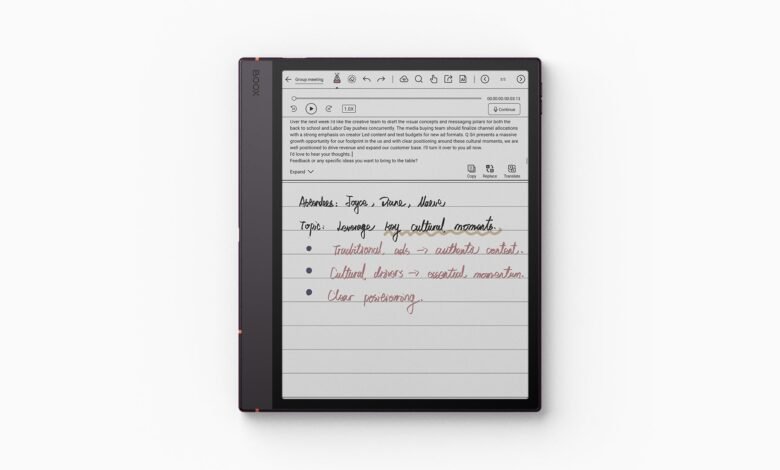
BOOX’s firmware 4.3 update lets you keep one handwritten notebook open while you write in another. BOOX makes readers and digital notebooks with paper-like e-ink screens. It announced the update on 8th October 2026 and is rolling it out in batches. So if your device supports the feature, you’ll spend less time jumping between notebooks when you study or research.
The feature is called Dual Notes, and it lives in BOOX’s Notes app. You can view and edit two notebooks at once, side by side or one above the other. A new Quick Access panel lets you find and manage your notebooks without leaving the one you’re in. Lasso, the tool you use to draw a loop around content and select it, can now drag and copy handwriting, shapes, text boxes and links from one notebook to the other. So a student could keep lecture notes on one half of the screen and work through an exercise on the other.
Not every device or notebook gets it, though. Dual Notes only works on devices that support split-screen, and only in Handwritten Notes and Infinite Notes. Handwritten Notes are the app’s pen-written notebooks. Infinite Notes have a canvas that grows as you write. Quick Access opens inside those two notebook types too, although it can manage other types. So a text-only notebook isn’t on BOOX’s list for Dual Notes.
BOOX names the Note Air6 C as one supported device. It had already mentioned Dual Notes when it announced that notebook in September, so what’s new in October is the firmware rollout. BOOX devices could also already run two separate apps in split-screen. Dual Notes brings that idea to two notebooks inside the Notes app.

Writing tools depend on your hardware
The Notes app gets optional gestures. Tap with two fingers to undo, or three fingers to redo. That way you can take back a stroke without reaching for the toolbar. If you have a BOOX active stylus with a side button, such as the InkSight, InkSense Plus or InkSense, you can also set that button to a writing tool like Eraser or Lasso in BOOX’s own apps. So if your pen has no side button, you get the finger gestures but not the pen shortcuts.
Calendar Memo is BOOX’s calendar with a space for handwritten notes. It gets seven brush options and a Lasso tool for moving, resizing or deleting handwriting. Selected handwritten to-dos can become Events or Reminders. BOOX already added handwriting-to-calendar actions in firmware 4.2, and 4.3 gives Memo more writing tools.
Memo also comes to 6.13-inch devices that support handwriting. BOOX names the Palma 2 Pro and the upcoming Palma 3. The Palma 2 Pro works with the InkSense Plus pen, which is sold separately. BOOX also makes dedicated readers, and last month we compared its pocket reader with Honor and Xteink. Memo support on a Palma doesn’t tell you whether it gets Dual Notes, though.
Rollout and regional limits
BOOX hasn’t published a full model-by-model rollout schedule, either in the announcement or on its firmware page. Features also differ between models, so your device’s own changelog is the list to go by. To check for the update, connect to Wi-Fi and open Settings > System Updates > Check for updates.
Talk Insights is BOOX’s tool for transcribing speech and summarising meetings. It needs an internet connection, the latest firmware, and a supported region and language. Its current list of regions includes the United States, Canada, Australia, Japan, Singapore and Brazil, among others. The UK and EU countries aren’t on it. So check that list separately, even if your device handles Dual Notes. And if you ever turn Talk Insights off, back up its notes first. BOOX warns they may be removed from the device.
If your BOOX supports split-screen, Dual Notes fixes a small, everyday annoyance: losing sight of your reference notes while you write. You can keep both notebooks on screen and copy material between them, so the device you already own gets more useful for study and research. Check your model’s changelog when the update lands to see which of the other tools came with it.








Join the discussion