

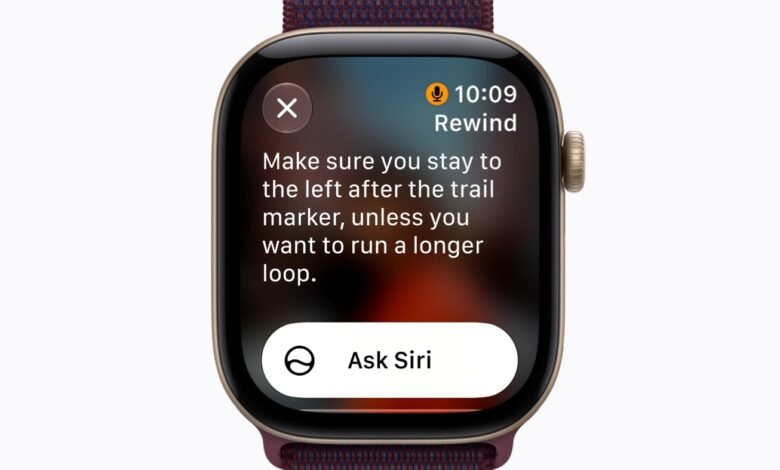
Apple has announced Siri Recap which is a crazy new Apple Watch feature where the watch listens to conversations (when you enable it) and automatically turns them into notes you can review later. The feature generates a title, a short summary and the main points from a conversation, then saves the result in the new Siri app on Apple Watch or iPhone.
Apple says the feature will arrive in beta later in 2026, initially in English, on the new Apple Watch Series 12 and Apple Watch Ultra 4.
Both watches were announced on yesterday and go on sale on 18 September.
A notetaker on your wrist
When Siri Recap is turned on, the Watch uses its microphone to pick up speech around you. Apple Intelligence then creates high-level notes after a conversation. You can review those notes on the Watch or iPhone in the Siri app.

Apple lets you decide when the feature runs. You can switch it on or off from Control Centre, or set it to work only at certain times or places. Apple gives examples such as allowing it at work but not at night.
This is a bigger step for Apple Intelligence on the Watch than what we saw when the Series 11 launched last year. With watchOS 26, Apple Intelligence on the Watch was mostly tied to tools such as Workout Buddy, Live Translation in Messages and notification summaries, which we covered when Apple detailed its 2025 software updates.
Siri Recap is different because the Watch itself becomes the listening device for an in-person conversation.
Privacy?
Apple is drawing a firm distinction between listening and recording.
According to Apple’s Audio Intelligence support documentation, Audio Intelligence does not create or store an audio recording. Raw audio enters a protected buffer inside the S11 chip’s Secure Exclave, a hardware-isolated part of the processor. Apple says the operating system, apps, the wearer and Apple itself cannot access that raw audio.
For Siri Recap, the Watch encrypts detected audio and sends it to the Secure Exclave on the paired iPhone. The iPhone transcribes and condenses the conversation inside that protected environment. Apple says a shortened text representation, designed to be less than half the length of the original transcript, is then sent to Private Cloud Compute to generate the final summary.
The condensed text does not travel alone. Apple’s privacy overview for Audio Intelligence says calendar data, Now Playing information and coarse location labels such as home, work or “grocery store” are sent with it to improve the summary. Precise location is not included.
The summary is what survives. Unsaved Siri Recaps automatically disappear after seven days. Recaps you choose to save can sync through iCloud with end-to-end encryption.
Apple has also limited what a recap is supposed to contain. It does not identify individual speakers and it produces a short summary rather than a word-for-word transcript. Apple says the system is designed to leave out information such as financial details and government-assigned identifiers.
That filter is not guaranteed. Apple’s own support page warns that Siri Recap can omit important details, misunderstand what was said or summarise something incorrectly. It also says automated filtering may not remove all sensitive information.
This is therefore a memory aid, not an authoritative record of a meeting or conversation.
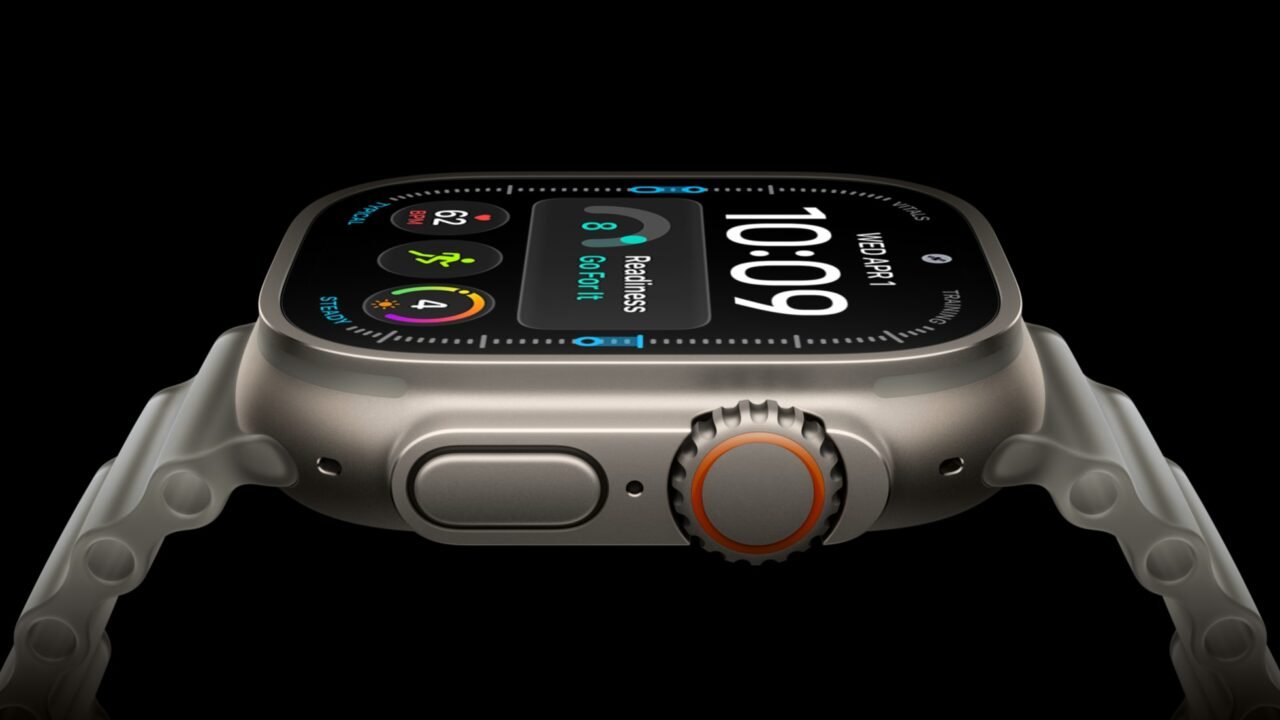
Live Rewind goes back 15 seconds
Siri Recap arrives alongside a second feature called Live Rewind.
If you miss something someone just said, a double-press of the Digital Crown can show the previous 15 seconds of speech as text. You can then ask Siri about that snippet or save it to the Siri app.
Apple says Live Rewind does not continue transcribing in the background after you trigger it. If you do nothing, the text snippet disappears permanently about 30 seconds after the Watch display dims. Live Rewind also makes an audible chime even when the Watch is on silent, and shows a full-screen animation and microphone indicator while it is being used.
Siri Recap has no equivalent alert. Apple’s privacy overview says there is no audible signal for Siri Recap because no raw audio is retained, and that a recap cannot be used to reconstruct the original audio. Apple instead tells users to be mindful of those around them when conversations may be private or sensitive.
People nearby may not know a Watch is turning a conversation into notes.
You need the newest Watch and a compatible iPhone
Siri Recap and Live Rewind require an Apple Watch Series 12 or Apple Watch Ultra 4. Older Watches that receive watchOS 27 do not get these two features. watchOS 27 itself, with the Siri AI beta, ships on Monday 14 September, the same day as iOS 27.
You also need a compatible Apple Intelligence iPhone and the Siri AI beta. Apple’s current support list includes the iPhone 16 family except the iPhone 16e, the iPhone 17 family including the 17e, iPhone Air, iPhone 18 Pro and Pro Max, and the iPhone Duo.



Join the discussion