
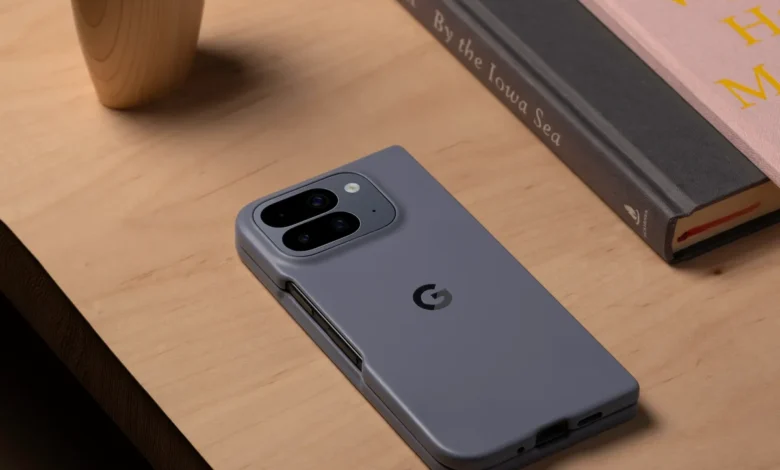
Google didn’t just launch new phones this week. It basically stuffed an AI butler into the Pixel 10 series. From picking up your calls when you’re “busy” (read: ignoring someone) to helping you not butcher that French phrase over the phone, the Pixel 10’s new AI features are less about specs and more about vibes. Let’s break down what’s new, and why these updates might actually change how you use your phone day to day.
1. Magic Cue
We’ve all had that moment: a friend texts you asking for directions, and you’re scrambling through Google Maps like a headless chicken. With Magic Cue, the Pixel 10 just… knows.
Ask about tonight’s plan? Boom, the address pops up in your reply bar, wrapped in a rainbow outline. Wonder if you’re free on Saturday? Magic Cue gently nudges you with a Calendar shortcut. Calling your airline? The Phone app flashes your flight number right on-screen. It’s like Smart Reply grew up, ate its vegetables, and started paying rent.
And it’s not just texts and calls. Magic Cue sneaks into Pixel Weather with personalized AI weather reports tied to your plans and even resurrects the long-lost Google Now vibes with the new Daily Hub. Swipe over from your homescreen, and you’ll get a neat summary of your day: weather, events, “things to remember,” and even some podcast recs.

You also get control over what Magic Cue can access, because nobody wants Gmail oversharing when all you needed was the football match schedule.
2. Phone by Google gets Voice Translate and Take a Message
The Phone app just got way smarter with two big features:
- Voice Translate: Imagine calling your Parisian Airbnb host and sounding like you… only in French. That’s Voice Translate. On-device, in real-time, and eerily natural (yes, it keeps your accent). Currently, it handles English ↔ 10 languages namely French, German, Hindi, Indonesian, Italian, Japanese, Portuguese, Russian, Spanish, and Swedish. You’ll hear the other person’s voice in translation too, after a short delay. Privacy buffs can relax. This all runs on-device with no recordings stored.
- Take a Message: Missed a call? Ignored one? (No judgment.) Google now transcribes the caller’s message live, and can even auto-generate to-dos like “call back Auntie Jane” or “add dentist appointment.” It’s like having a secretary, minus the awkward small talk.
3. Cameras get a coach
Pixel cameras were already smart, but the Pixel 10 series is going full-on AI personal trainer.
- Camera Coach: On-screen tips to help you nail that shot, be it better angles, lighting advice, and mode suggestions. Basically, your phone now backseats your photography, but in a helpful way.
- Best Take, upgraded: Now fully automated. Take a group photo, and the phone instantly swaps out half-blinks and frowns for everyone’s best face. Sorry, you can’t opt out if you’re that friend who always wants to do a goofy face.
- Pro Res Zoom: On the Pro models, AI now pushes zoom all the way to a ridiculous 100x. It’s pixel sorcery.
- Guided Frame 2.0: Full-scene descriptions, not just faces—huge for accessibility.
- C2PA baked in: Every AI edit is tagged, because deepfakes aren’t funny anymore.
Oh, and for the first time, the base Pixel 10 gets a proper telephoto lens. No more Pro-model gatekeeping.
4. Gemini Live adds visual overlays in video calls
This one’s more experimental but intriguing: Gemini Live adds visual overlays in video calls, highlighting real-world objects as you share. Pair that with its mood-sensitive audio (yes, it knows if you sound excited or worried), and suddenly your AI assistant feels a little too… empathetic. Creepy? Maybe. Useful? Definitely.
5. Pixel apps grow up
It wasn’t just the core AI. Google also sprinkled some magic across Pixel-exclusive apps:
- Pixel Journal: A new diary app that suggests topics (“Reflect on your day,” “Write about this trip”) using Gemini. It even creates emoji calendars showing your moods.
- Pixel Recorder: Now doubles as a music toy. Hum something, and it generates backing tracks. Plus, NotebookLM integration for transcripts.
- Pixel Screenshots: Screenshots can now hop straight into NotebookLM.
- Pixel Studio: Powered by Imagen 4, you can erase or add objects right from the screenshot preview, or even swap backgrounds with prompts. Basically, Photoshop-lite in your notification bar.
- Gboard Writing Tools: AI-powered rewrites right inside your keyboard. Make a text more “professional,” “friendly,” or even “emojify it.” Plus, you can edit by voice: say “Change happy to excited,” and it just happens.
Evidently, the Pixel 10 launch wasn’t just about hardware flexing. Google is pushing a vision where your phone anticipates, translates, and even coaches you through life. It’s bold, a little unnerving, but mostly exciting.
If you’ve ever wanted your phone to be less of a tool and more of a personal assistant who actually gets you, the Pixel 10 is probably the closest we’ve come.






Join the discussion