
For years now, we’ve been told that AI is inevitable. That it’s “enhancing” our experience. That it’s making the web better, smarter, more helpful. And if you don’t like it? Too bad, it’s being shipped whether you asked for it or not.
That’s exactly why Mozilla’s latest move finally pushed me over the edge.
While some people love having a co-pilot for everything, a growing number of us just want to browse the web. We don’t want summaries; we want to read the source. We don’t want “enhanced” suggestions; we want our own tabs.
For the longest time, I felt stuck with Google Chrome because, well, it’s Chrome. But recently, the browser has become relentless with its AI integration. It feels like every morning I wake up to a new tool I didn’t ask for.

That ends today. I’ve officially switched to Firefox, and it’s for one massive, refreshing reason.
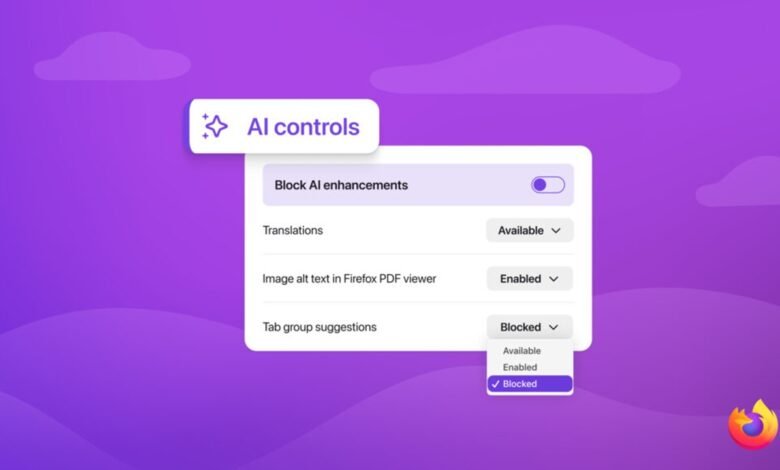
Starting February 24, with the rollout of Firefox 148, Mozilla is adding what is effectively an AI kill switch to the browser. A single control that lets you block all current and future AI features in Firefox. No pop-ups, no nudges, no “just try it” reminders.
And honestly? That’s enough reason for me to switch browsers.
The “Block AI” game changer
Mozilla recently dropped a blog post that is absolute music to my ears. Starting with Firefox 148, which rolls out on February 24, the browser is introducing a dedicated “AI Controls” section.
Unlike Chrome, which seems hellbent on weaving Gemini into the fabric of your existence, Firefox is giving users a “single place to block current and future generative AI features.”
You read that right. A master switch.
Here is what the new controls allow you to manage:
- Translations: Automated web page translations.
- PDF Alt Text: AI descriptions for images in PDFs.
- Tab Grouping: AI suggestions for organizing your tabs.
- Link Previews: Summaries of key points before you click a link.
- The Chatbot Sidebar: Integration with Claude, ChatGPT, Gemini, etc.
But the real magic lies in the “Block AI Enhancements” toggle. If you flip this switch, not only does it disable the features listed above, but it also prevents Firefox from ever prompting you about future AI additions.
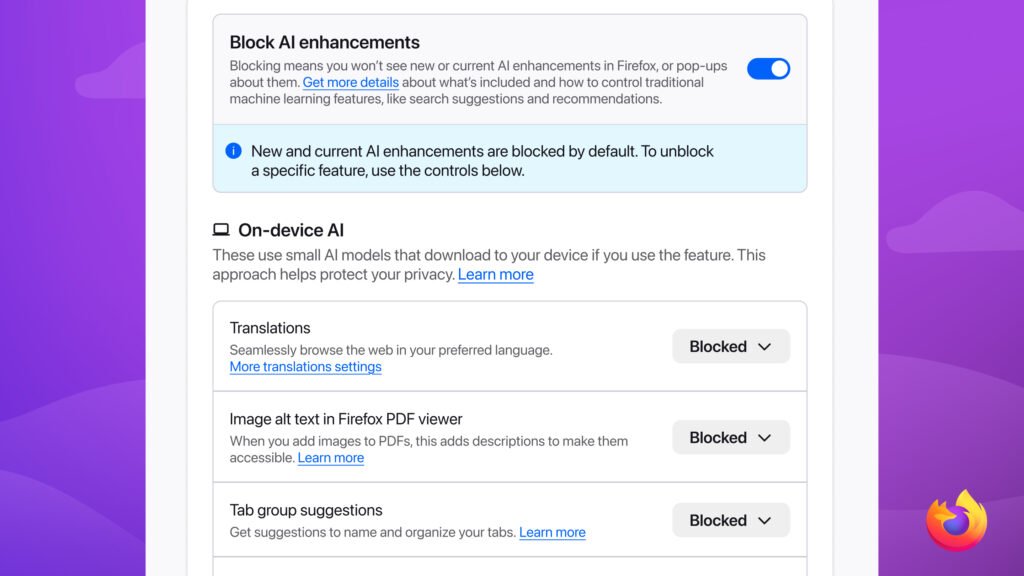
It is a “Do Not Disturb” sign for the AI era.
But let’s be honest: AI didn’t slowly creep into our browsers. It kicked the door down.
Search engines now summarize instead of sending traffic. Tabs want to group themselves. Sidebars want to chat with you. Links want to explain themselves before you even click them. Every update brings another “helpful” AI feature you didn’t ask for, and often can’t fully disable.
Google Chrome, the world’s most popular browser, is the worst offender here. New AI tools keep showing up with every update, baked deeply into search, browsing, and discovery. You don’t opt into most of them. You opt out, if you’re lucky enough to find the setting.
For people like me — creators, writers, publishers — this isn’t just annoying. It’s damaging.
AI-powered search features played a very real role in killing revenue streams for many sites a couple of years ago. Fewer clicks. Fewer referrals. Less visibility. When your work gets summarized instead of visited, you feel it in your pocket.
So when a browser gives me a way to keep AI out of my browsing experience entirely, I pay attention.
Mozilla isn’t the only one realizing that users are tired. Microsoft reportedly plans to “tone down” Copilot integrations in Windows 11, admitting that maybe—just maybe—people don’t want an AI button in their face every time they open a settings menu. Seeing Microsoft dial it back gave me hope, and I’ve admittedly been using Edge more often because of it.
But Mozilla has taken it a step further. They aren’t just “reevaluating”; they are giving us a hard exit.
In their announcement, Mozilla stated:
"We believe choice is more important than ever as AI becomes a part of people’s browsing experiences. What matters to us is giving people control, no matter how they feel about AI."
That is the kind of user-centric philosophy I’m rooting for.
If you are someone who loves AI tools, Firefox still has you covered—you can keep them on. But if you, like me, just want a fast, privacy-focused browser that shuts up and lets you surf the web in peace, Firefox is currently the only major player offering a true “Opt-Out.”
The update lands on Feb 24, but you can try the feature in the latest Nightly release.
Are you tired of AI in your browser, or do you find it useful? Let us know in the comments.









Join the discussion