
Last year, Chrome for Android made a big visual leap with Chrome 135 by introducing edge-to-edge rendering, allowing websites to extend beneath Android’s navigation bar for a cleaner, more immersive look. But if you’re someone who installs Progressive Web Apps (PWAs) to your home screen, you probably never got to enjoy the full experience.
While regular browser tabs could take advantage of the new design, installed PWAs stubbornly refused to draw behind the top status bar, even when developers followed Google’s recommended implementation. As a result, web apps often looked less polished than their native Android counterparts.
That appears to be changing.
A Chromium issue opened in March 2025 documented the problem after developers noticed installed PWAs wouldn’t render edge-to-edge despite using the required settings. Over the following year, more reports surfaced from developers who found that the feature worked perfectly inside a Chrome tab, but broke the moment the same site was launched as an installed app.

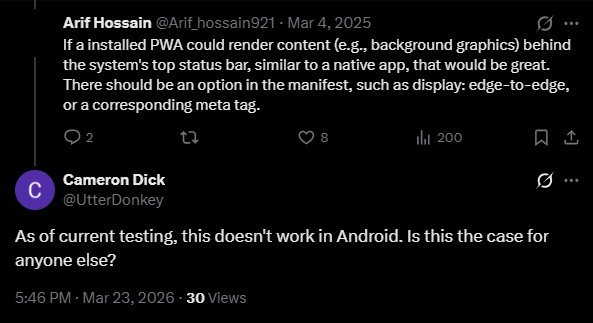
Google’s Chrome Developer Relations engineer Bramus Van Damme later, on March 24, 2026, acknowledged this limitation, confirming that the issue was known and that Chromium engineers were actively working on a fix.
"This is a known shortcoming, and looking at the comments, I believe you've already found your way to the bug. The bug is currently assigned, which means someone is working on it."
Fast forward to today, and that work is beginning to take shape. Although the Chromium issue remains marked as In Progress, newly landed Gerrit changes show Google Chrome is wiring support for what it calls “short-edges cutout mode” into WebApps, Trusted Web Activities, and immersive Custom Tabs. In plain English, this means installed PWAs will finally be able to extend their content behind the Android status bar, just like native apps do.
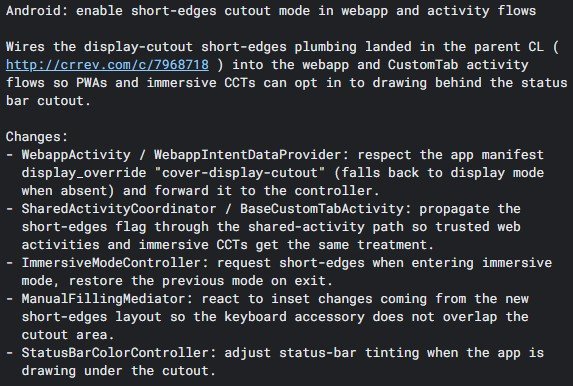
For users, the difference is mostly visual, but it’s one you’ll notice. Instead of seeing an awkward strip at the top of the screen, wallpapers, hero images, maps, videos, and other content can seamlessly stretch into the status bar area. Apps should feel more immersive and make better use of modern phone displays, especially devices with punch-hole cameras or display cutouts.
The implementation also restores proper handling of Android’s safe areas, ensuring buttons, text, and other interactive elements stay out of the camera cutout while still allowing backgrounds to flow underneath it. Chrome is also making adjustments to status bar colouring, immersive mode, and keyboard overlays so the experience feels much closer to using a native Android app.
The latest Gerrit patch specifically enables this behaviour for WebApps and related activity flows, building on earlier plumbing that recently landed in Chromium. There’s no confirmed release timeline yet, and the feature still needs to complete Chromium’s review process before eventually making its way through Canary, Beta, and finally Stable Chrome. Still, after watching this issue linger for well over a year, it’s encouraging to finally see meaningful progress.
If you’ve ever wondered why your installed PWA didn’t look quite as polished as a native app, that gap may soon disappear.




Join the discussion