

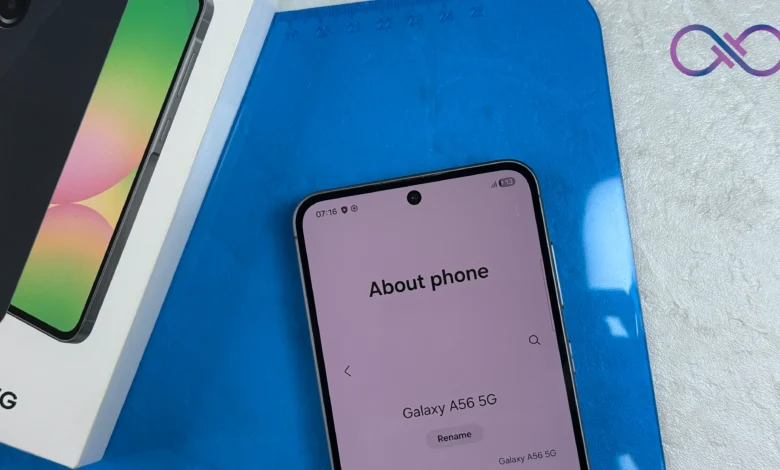
Samsung has released stable One UI 9 for variants of the Galaxy A56 5G and Galaxy A36 5G, with both releases dated 19th October 2026. One UI is Samsung’s version of Android, so this moves the two phones to Android 17. Owners waiting through the earlier beta programme now have a finished release to look out for.
Samsung’s A56 release record, published in Indonesian, lists build A566BXXUEDZJ1 for the SM-A566B. The A36 record lists A366USQUADZIF for the SM-A366U. Both name One UI 9 and Android 17.
Both phones are sold in Kenya. However, these releases don’t confirm availability on every Kenyan unit. Samsung says changes can vary by model, country and service provider, so a release for one model code doesn’t give us a date for all A56s or A36s. There’s also no Kenya-wide release date or Kenyan download size in these records. When an update appears on your phone, read its notes for the features included in your version.
What changes with One UI 9
The Quick Panel, which you pull down to reach settings such as brightness and sound, gives you more room to arrange things how you want. You can resize the brightness and volume sliders and the media player, and separate the sound-mode button from the volume slider. So you can choose sizes that suit the way you use those controls throughout the day.

There’s also a location indicator at the top of the screen whenever an app accesses your location. Open the Quick Panel and you can see which app is using it. Samsung has added a Warranty and care menu in Settings too, where you can check warranty information and run diagnostic checks.
The security patches differ. The A56 build includes the 5th October 2026 patch, while the A36 build includes the 5th September 2026 patch. Although Samsung released both on the same day, their security patch levels are a month apart. The Android version and the security patch date tell you different things about the software you’re installing.
Checking for the update
Go to Settings, then Software update, then Download and install, as Samsung’s update guide explains. Back up important data first and use Wi-Fi for the download. If the update isn’t there, Samsung’s release records don’t tell us how much longer your particular phone will have to wait.
The A56 and A36 launched in 2025 on Android 15 and One UI 7, with up to six generations of Android OS and One UI upgrades promised, plus six years of security updates. Android 17 is their second major Android upgrade, leaving up to four more.
Long software support was one of the reasons to buy the A56 when we reviewed it last year. For someone planning to keep either phone for several years, this is another instalment of that promise. Once your unit gets the update, you’ll have the newer Android version on the phone you already own.






Join the discussion