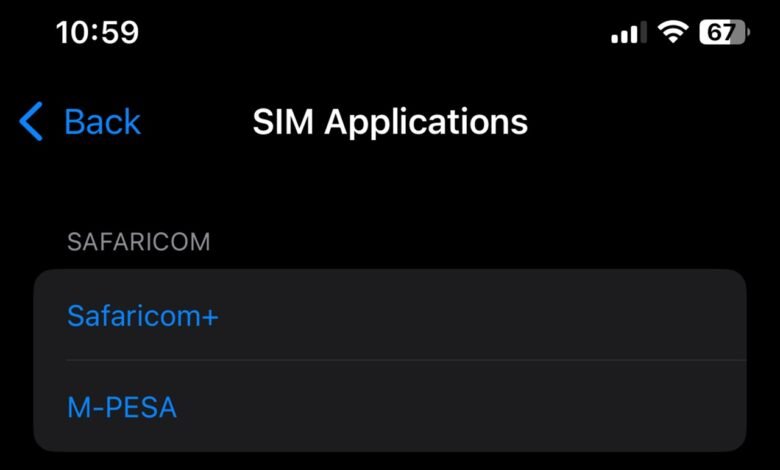

Safaricom appears to be rolling out a new SIM Toolkit (STK) change that adds an extra confirmation step when sending money via M-PESA, and some users are not pleased.
According to multiple reports shared online over the weekend, affected users are now required to re-enter the recipient’s phone number a second time before completing a transfer. The move, Safaricom support says, is meant to “reduce instances of wrong transactions,” a common pain point among customers over the years.
Users now asked to type the number twice
In the updated flow, once a user enters a phone number and proceeds to the PIN stage, the SIM Toolkit brings up a new prompt asking them to manually reconfirm the number again. The change essentially adds a double-hakikisha step, but instead of relying solely on the usual name confirmation screen, it forces users to key in the digits again.
Safaricom support teams responding on X (formerly Twitter) confirmed the rollout after several customers questioned the sudden change. However, the feature does not seem to be available to everyone, suggesting a gradual or pilot rollout.
For instance, on multiple devices we tested, the extra prompt is not yet live, reinforcing that Safaricom is pushing this out selectively before it potentially goes wider.
Helpful safeguard or unnecessary friction?
As expected, the new confirmation step has drawn split opinions.
Some users say the feature is a welcome safeguard, especially considering how frequently money is accidentally sent to wrong numbers and how tedious reversals can sometimes be despite M-PESA’s reversal workflows.
But others argue that forcing users to type the number twice does not solve the underlying problem and instead makes a simple transaction unnecessarily cumbersome.
“You can’t start a pilot program on MPESA STK double hakikisha without notifying the public then we report the thing not working… we don’t get the problem solved,” one user complained on X.“Is it true you’ll now be requiring a person to confirm an Mpesa money transfer by entering the receiving telephone number twice?” another asked.“What do you mean confirm number again after I have even put the pin? Can y’all just stick to displaying the name and OK?” a third user added.The common sentiment among critics is that displaying the recipient’s registered name, a longtime M-PESA safeguard, already serves as adequate confirmation.
Safaricom recommends using the apps instead
When responding to users questioning the change, Safaricom’s social support teams said that those who find the new STK workflow inconvenient should consider using the M-PESA App or the MySafaricom App instead.
Both apps already include built-in verification features, richer contact integration, and fewer input errors compared to the SIM Toolkit’s older interface.
This subtle nudge toward app-based transactions aligns with Safaricom’s broader push to transition heavy M-PESA usage away from STK and into more modern channels that offer better scalability and richer features.
Safaricom has not publicly announced the feature, issued a statement, or published rollout notes. But support confirmations strongly suggest the change is intentional. Given M-PESA’s scale, Safaricom frequently runs silent A/B rollouts on select users before committing to widespread changes. This looks like one of those cases.
Whether the feature stays, evolves, or is rolled back will likely depend on the feedback Safaricom collects over the coming days.
For now, if you’re among the users seeing the extra prompt, you’re part of what appears to be a live test. If you’re not, the feature may reach you later. Or Safaricom may decide to change course based on how the pilot performs.