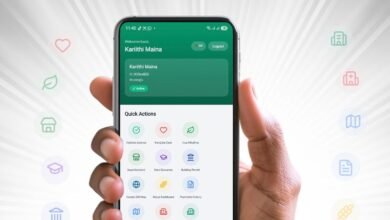

Safaricom’s new My OneApp was supposed to make things easier by bringing together MySafaricom and M-PESA in one place. Instead, the rollout has been messy from the start.
Safaricom already admitted that the app is having issues, and we’ve highlighted why “My OneApp” feels like the wrong name for a product built on Safaricom and M-PESA’s brand equity. But while the branding misstep and stability issues are annoying enough, there’s another problem that has been quietly frustrating users during setup, and in my view, it says a lot about how out of touch part of this rollout really is.
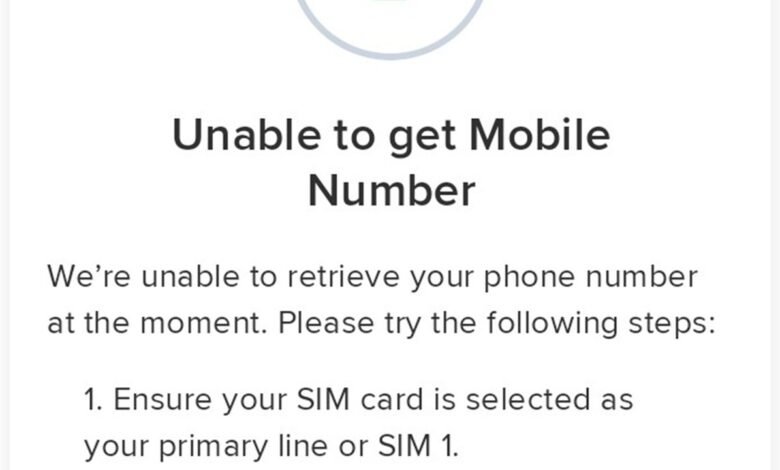
To set up My OneApp, Safaricom often requires users to be on Safaricom mobile data so the app can automatically detect the phone number tied to the SIM card. That alone is inconvenient, especially for people who are out of the country. But the bigger problem is what comes next: the app appears to work only when the Safaricom SIM is inserted in the SIM 1 slot.
If the line is in SIM 2, setup can fail because the app is unable to retrieve the mobile number.
That is not a minor inconvenience. It is a bad setup experience in a country where dual-SIM usage is completely normal.
Safaricom’s setup logic still assumes it owns SIM 1
What makes this more frustrating is that Safaricom support is not exactly hiding it. In a response to one concerned user, the company said:
That response is almost impressive in how casually it normalizes the problem. Just put the line in SIM 1, use Safaricom mobile data, and try again. Problem solved, apparently. Because, naturally, the burden should fall on the customer to reorganize their phone for an app, not on the app to work like modern software.
To be fair, this isn’t new. Safaricom apps have behaved like this for years. Anyone who has used some of the company’s apps long enough already knows the routine: if your Safaricom line is in SIM 2, you may have to disable SIM 1 entirely just to complete first-time setup. It’s one of those old mobile-money-era quirks that somehow survived into 2026.
But that history doesn’t excuse it. It makes it worse.
A brand-new flagship app should not still be relying on a setup flow that breaks the moment users don’t arrange their device the “right” way.
Dual-SIM phones are normal in Kenya, not edge cases
This is the part Safaricom seems to be missing. In Kenya, dual-SIM phones are not some niche setup for power users. They are mainstream. Plenty of people keep Safaricom lines for M-PESA transactions and Airtel for calls and data. Some users simply prefer having Safaricom in SIM 2 because that setup works better for how they use their phone every day.
I’ve seen this myself, and that’s why this issue stands out. My Airtel app, for example, handles setup much more sensibly. Once installed, it simply asks for a phone number, sends an OTP, and lets you verify the line. Clean. Straightforward. No SIM-slot drama. No insistence that Airtel must occupy a specific tray position before the app is willing to acknowledge your existence.
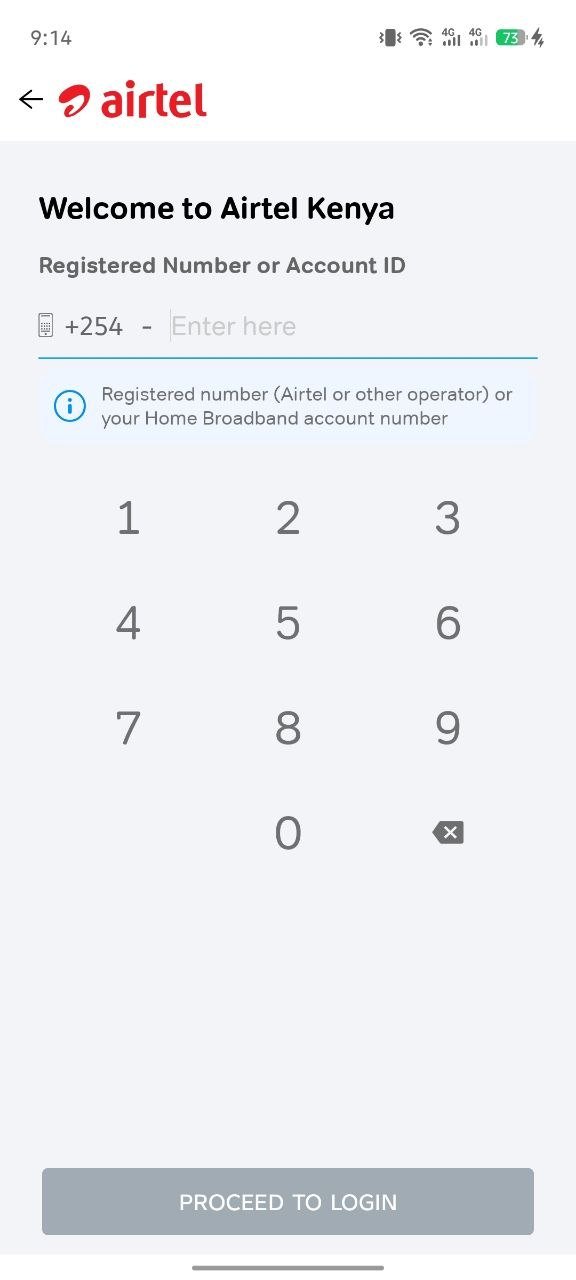
That comparison matters because it shows Safaricom’s approach is not some unavoidable technical limitation. It’s a product choice.
And it’s the wrong one.
Security is not an excuse for poor design
Safaricom would likely argue that automatic SIM detection adds a layer of security by confirming the line being used is the correct one. That part is understandable. A service tied to M-PESA and mobile account access obviously needs proper verification.
But there’s a difference between verification and rigidity.
A manual number entry option backed by OTP verification would still do the job. It would let users prove ownership of the line without forcing them onto Safaricom data or demanding that the SIM sit in slot one like we’re still living in the era of single-SIM phones and removable batteries.
That is the bit that feels especially absurd here. Safaricom is trying to launch a modern all-in-one app while keeping one foot stuck in an old setup philosophy that assumes the network should be the center of how users configure their phones.
Whether intentional or not, it comes off as a quiet kind of entitlement.
My OneApp keeps adding friction where it should reduce it
This latest issue joins a growing list of early pain points around My OneApp. We’ve already highlighted the unexpected Home Internet error that blocks some users from paying for their connection and the compatibility limitations affecting some devices. Safaricom has also been actively asking users to submit feedback on the app, which is good, but feedback only matters if the company is willing to fix the fundamentals.
And this is one of those fundamentals.
The good thing is that Android users can go back to the old M-PESA app in a few steps.
For a product that is supposed to represent convenience, My OneApp keeps creating unnecessary barriers before users can even get through the front door. Forcing people to switch data networks, shuffle SIM cards between slots, or disable another line just to complete setup is not clever security. It’s clumsy onboarding.
Safaricom may be the dominant telecom player in Kenya, but that should not translate into building apps that quietly expect every phone to revolve around Safaricom first. When an app works best only if Safaricom is in SIM 1, the message users get is simple: arrange your device around us, or deal with the friction.
That might have passed a few years ago. It shouldn’t pass now.
My OneApp does not just need bug fixes. It needs a more user-respecting setup process. Until Safaricom adds a simple manual number entry and OTP verification option, this whole SIM 1 requirement will remain one of the clearest signs that the app was launched before it was truly ready for the way Kenyans actually use their phones.
And you are absolutely right to call that out.