

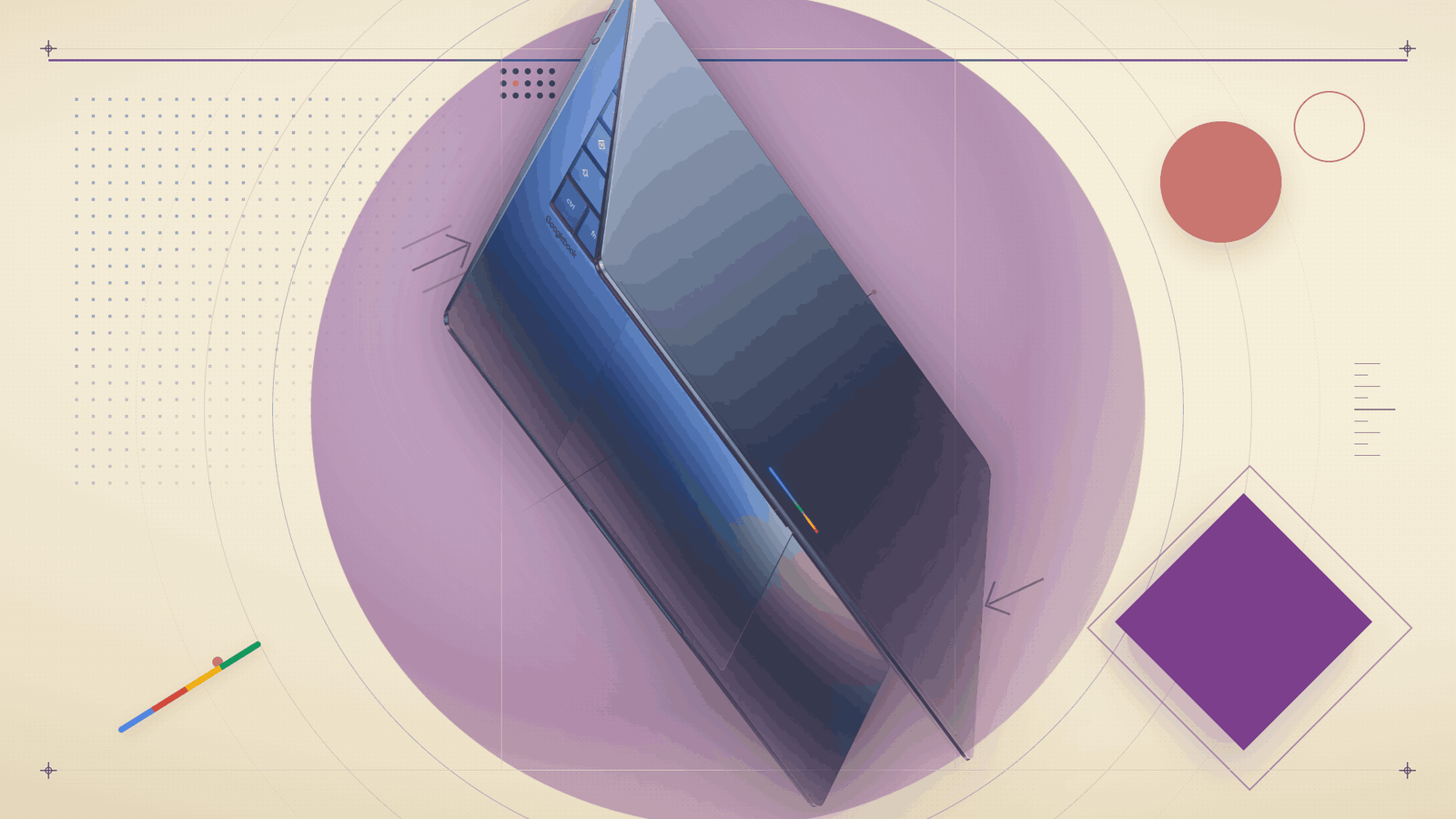
Three days ago, at a virtual event called The Android Show: I/O Edition, Google introduced its biggest laptop bet in over a decade. It is called the Googlebook, it runs on Android rather than ChromeOS, and it launches this fall. Five of the world’s biggest PC makers — Acer, ASUS, Dell, HP and Lenovo — have already signed on to build it.
The reveal was light on hardware. There were no prices, no specs, no chip names, no specific launch dates beyond “fall 2026.” But on strategy, Google’s own blog post was unusually direct. The framing was that the industry is shifting “from an operating system to an intelligence system,” and the Googlebook is what Google thinks that looks like.
Here is what was actually announced, what it means, and what is still missing three days in.
What the Googlebook is, in plain language
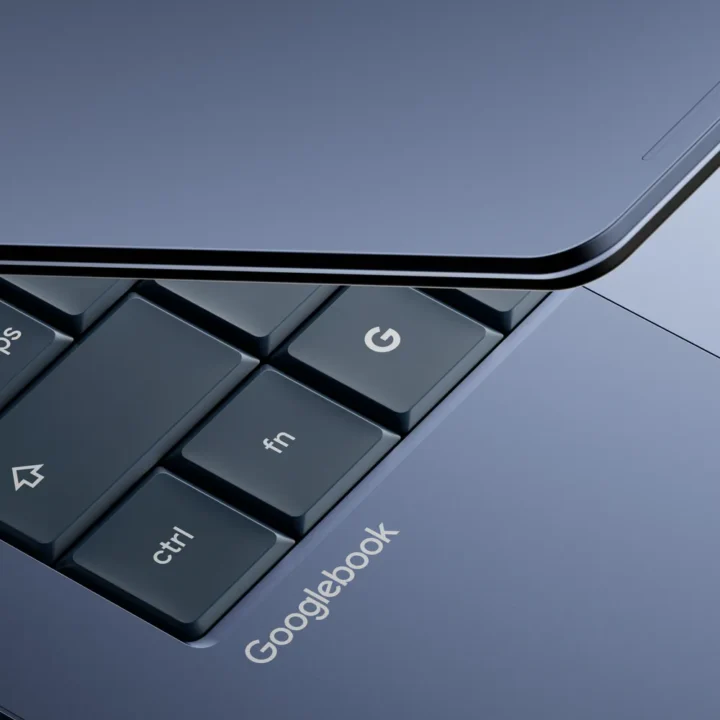
The Googlebook is a new category of premium laptops running an Android-based operating system, with Google’s Gemini AI built into the operating system itself rather than added on as an app. It is not a new Chromebook. It is not a refreshed Pixelbook. It is a new line.

The operating system underneath has been internally codenamed Aluminium, a name that leaked late last year and was widely reported. Google has now told The Verge directly that Aluminium is only the codename and the final brand will be announced later this year. That announcement is almost certain to land at Google I/O on May 19 and 20, just four days from now. We will be covering it.
The strategic question the Googlebook answers is one we have been tracking since 2025. We covered Google’s first public confirmation in July 2025, when Android Ecosystem President Sameer Samat told TechRadar the two platforms would be combined. And we followed up in September 2025 after the Qualcomm Snapdragon Summit, where Google’s SVP Rick Osterloh explained that the company was “building a common technical foundation” with Android as the base. The Googlebook is that foundation made visible.
The headline feature: Magic Pointer
The single most talked-about Googlebook feature is the cursor. Google calls it Magic Pointer, and Google’s blog confirms it was built in collaboration with the Google DeepMind team.
The cursor itself is the AI entry point. You wiggle it near content, and contextual suggestions appear. Hover over a date in an email and Gemini offers to set up a meeting, draft a reply, or pull up nearby meeting spots. Highlight a paragraph and you can summarise, rewrite, or translate it. Select two images, like a photo of your living room and a new sofa, and the cursor will render the two together so you can see what the combination looks like.
This is a small idea with bigger consequences. The cursor has not really changed since the right-click was added decades ago. Putting AI into it, rather than into a separate chat window or sidebar, is a clear bet that people do not want to context-switch into a chatbot. They want help where their attention already is. Microsoft has been pushing a similar argument with Copilot+ PCs. Apple has been adding Apple Intelligence features into macOS through Writing Tools and the new Siri. Google’s version is more aggressive: instead of layering AI on top of the OS, the cursor becomes the AI.
The other confirmed features
Beyond Magic Pointer, Google detailed three more Googlebook features.
Quick Access turns your Android phone into a native part of the laptop’s file system. You can search your phone, view its files, and pull them into the Googlebook directly through the file browser, with no manual transfer. It is the natural endpoint of years of Phone Hub and Nearby Share work, and it competes directly with Apple’s iPhone-to-Mac handoff and Samsung’s DeX.
Cast My Apps lets you run Android phone apps directly on the laptop screen without installing them on the laptop first. The phone does the work. The laptop projects the experience.
Custom widgets come to the laptop too, tying into the new “Create My Widget” feature Google also announced on Tuesday for Pixel and Samsung Galaxy phones. You describe a widget in plain English. Gemini builds it. On the Googlebook this becomes a way to organise your apps and dashboards on the desktop itself.
The Glowbar
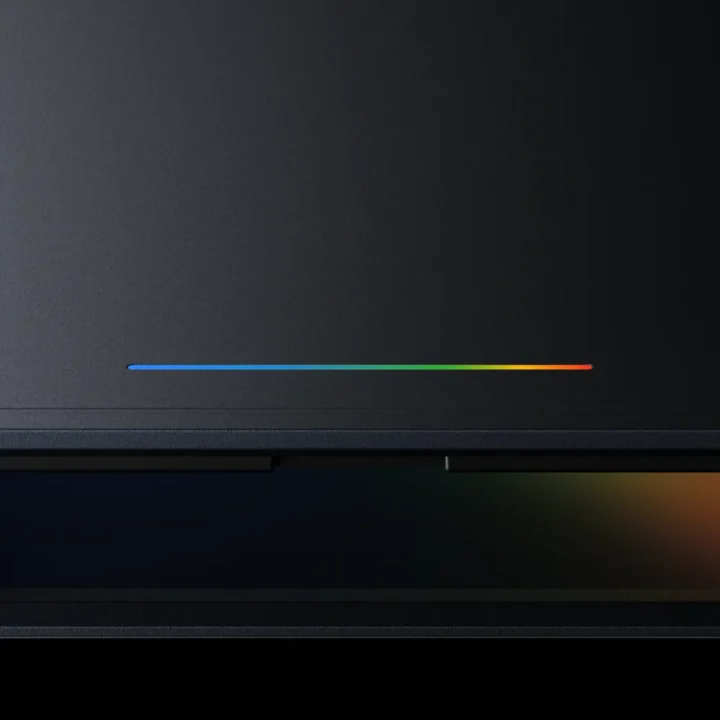
Every Googlebook will ship with a Glowbar on the lid: an animated LED light strip in the four colours of the Google logo. Google has described it as “both functional and beautiful” without saying what its functions will be. Expect notification cues, charging status, and Gemini activity signals. The Glowbar is meant to do something the Chromebook never really managed, which is give the device a visual identity that is unmistakably Google’s, even when an HP or Lenovo logo is on the keyboard deck.
The Chromebook isn’t dead. Yet.
This is the part of the story that got buried, but it is the most important for buyers right now. Chromebooks will keep shipping after Googlebook launches. Google’s Peter Du, from the company’s global communications team, told The Verge directly: “Yes, there will be Chromebooks released after the launch of Googlebook.”
Existing Chromebooks will continue to receive support through their current update windows. Chromebooks released in 2021 or later are entitled to 10 years of automatic security updates, which means support running through at least 2031 for the oldest eligible devices, and stretching into the early 2030s for newer ones.
Google has separately said that “many Chromebooks will be eligible to transition to the new experience,” but has not yet said which models, what the hardware requirements are, or whether the transition means a full upgrade to the Googlebook platform or something less. More information is promised for fall.
The plain-language summary: if you bought a Chromebook recently, do not panic. If you are buying one this year for school or work, the purchase logic does not change. Cheap Chromebooks at sub-$500 / sub-KES 65,000 prices are not getting Googlebook variants in the first wave. Google has used the word “premium” four times in its announcement. The Googlebook is aimed at the MacBook Air and the Surface Laptop, not the school-cart Chromebook.
What it means for Kenya
The Chromebook never really competed in Kenya the way it did in the US. While Chromebooks hold around 60% of the global K-12 device market according to IDC and Futuresource Consulting figures cited in industry reports, that figure is heavily concentrated in North America, where 93% of US school districts plan Chromebook purchases this year. In Africa, Chromebook adoption has been thinner, mostly arriving through international education initiatives rather than government programmes.
Kenya’s flagship Digital Literacy Programme (DigiSchool), which has delivered well over a million devices to public primary schools since 2016 through the JKUAT and Moi University assembly consortia, has been built largely on Windows-based laptops for teachers and Windows-based tablets for learners, not on Chromebooks. So the question for the Kenyan market is less “what happens to our Chromebooks” and more “does Google finally have a laptop story that competes with Windows on its merits?”
If the answer is yes, the practical implication is that for the first time, an Android phone owner in Nairobi who buys a Googlebook gets a laptop that genuinely talks to their phone. That is something Windows has never properly done, MacBook handles only for iPhones, and even Samsung DeX has not fully solved. For the millions of Kenyans who use Android phones daily, this is the most relevant pitch.
The catch will be price. Premium positioning means premium pricing. Local retailers can already tell you what the existing MacBook Air and HP Dragonfly Pro lines cost. Expect the first wave of Googlebooks to land in that bracket, well above KES 100,000.
What is still missing
Three big gaps remain after Tuesday’s reveal.
First, price. Google has not named a tier, let alone a number. The “premium” framing rules out the budget end, but it leaves a wide range between MacBook Air territory and MacBook Pro territory. Expect more clarity in the months before fall.
Second, the OS name. Google has confirmed Aluminium is not it. The real name is presumably reserved for Google I/O next week, where the company will likely also show developer tooling for the new platform.
Third, app readiness. Native Android apps on a desktop is the whole point. The previous attempt, running Android apps inside a translation layer on ChromeOS, was the Chromebook’s biggest weakness. The Googlebook needs Android apps to behave like proper desktop software from day one, with keyboard, mouse, and window-resize support that does not feel grafted on. If that promise does not hold, the launch will feel like 2015 all over again.
What to watch at Google I/O next week
Google I/O 2026 runs Monday May 19 and Tuesday May 20 at Shoreline Amphitheatre in Mountain View, California, with everything live-streamed at io.google. Three things will tell us whether the Googlebook story holds together.
Watch for the final operating system name, since that signals how Google is positioning the platform: as Android-extended, or as something categorically new. Watch for at least one OEM to show a real device, with specs and a price band. And watch for Magic Pointer working in third-party apps, not just Google’s own. The cursor demo is only impressive if it works everywhere your work actually happens.
The Pixelbook, Google’s last serious in-house laptop, launched in 2017 and was discontinued in 2022. The Googlebook has to avoid that fate. The early signs are encouraging in one respect: this is a multi-partner launch, not a Google-only showcase device. That suggests Google is building an ecosystem this time, not making a statement and walking away.
Whether it works will come down to the next few months. The announcement gave us the pitch. The fall has to deliver the product.



Join the discussion