
There is a special kind of frustration reserved for when a company takes something that works, replaces it with something that doesn’t.
We have been here before. In 2023, we wrote about how NCBA Loop’s super app revamp was a masterclass in how to annoy customers. That piece resonated because so many people felt exactly the same thing: a product they loved, gutted overnight, with no migration of their data, no real warning, and a new design that felt like it was built for someone else. Now, two years later, Safaricom has written the same playbook. Only the stakes are dramatically higher, because this time it’s M-Pesa, and Kenya runs on M-Pesa.
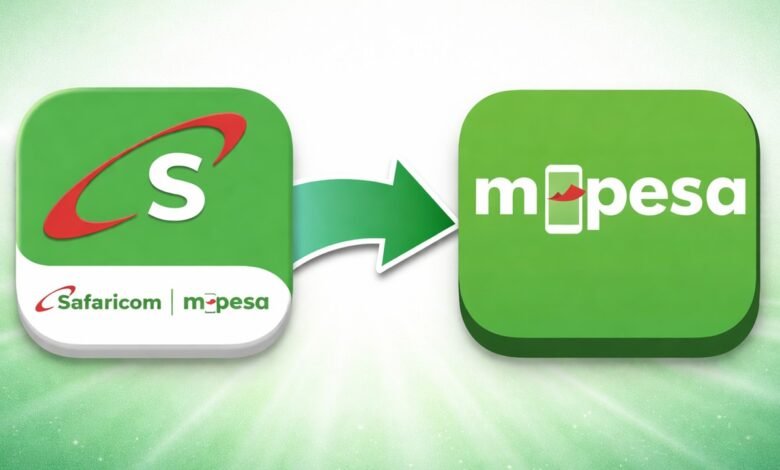
At the beginning of the month, Safaricom announced My OneApp at its Decode 4.0 summit in Nairobi. The idea itself is not bad. Two apps: the M-Pesa app serving around 6.7 million users, and the MySafaricom app serving about 2.8 million, doing largely overlapping jobs for the same customers. For years, heavy financial work went through the M-Pesa app (launched in 2021 after 6 months of testing), while airtime, data bundles, account settings, and customer service went through MySafaricom. Two apps, two login experiences, two homes for services that increasingly belonged in the same workflow. Merging them made obvious sense. Nobody was arguing against the concept.
What nobody expected was the execution.
“No SMS. No push notification.”
By April 3, Safaricom had quietly begun migrating M-Pesa app users to My OneApp via an update. There was no announcement most users saw coming. No email. No SMS alert. No push notification. No social media announcement that reached people in the days before the launch to indicate that a fundamental change to their most-used financial services app was imminent. You opened your phone one morning and your M-Pesa app had become something else entirely.
By April 4, Safaricom was publicly admitting on X that My OneApp had login issues and that “most of the financial mini-apps services are not working,” adding that a resolution was underway. For any app, that is bad. For an app sitting directly on top of M-Pesa, the service Kenyans use to pay rent, buy food, send money to their parents, and manage daily life, it is far worse.
The complaints came fast and hard. On TikTok, video after video showed confused users unable to log in, unable to find features they used daily, and unable to complete basic transactions. On X, the ratio was brutal. One user put it plainly: “whoever came up with the new app idea was a big fool and everyone involved is an idiot.” Another questioned whether a product manager had actually signed off on the app icon. Someone else noted they had been trying to do a basic money transfer for a while and still hadn’t managed. The frustration was not casual annoyance. It was the frustration of people locked out of their daily routines.
The Lost Favourites Problem
Here is something Safaricom has not spoken loudly enough about. For a customer base of 6.7 million people who had been using the previous M-Pesa app, the collective effort required to rebuild those saved favourites and frequents represents an enormous and entirely avoidable imposition on the people who have been M-Pesa’s most digitally engaged users.
These are not cosmetic preferences. When someone saves their Kenya Power paybill, their landlord’s till number, or their child’s school fees number, those saved details are the product of months or years of use. Wiping them without migrating them is not a bug. It is a breach of trust. It tells your most loyal users that their time does not matter.
The Diaspora Problem. And the Tweet That Proved It
The loudest complaints came from people outside Kenya, including diaspora users and travellers who discovered that My OneApp requires a Safaricom SIM, Safaricom mobile data, no Wi-Fi, and no VPN just to activate for the first time. Someone abroad who got logged out, for whatever reason, suddenly could not get back in until they returned to Kenya or found a workaround. For a payments app, that is not a minor inconvenience. That is a crisis.
What makes this worse is the timeline. On the evening of April 11 (mark you more than a week after launch) @Safaricom_Care posted a step-by-step graphic for roaming customers. The checklist: Safaricom SIM set as your primary SIM, roaming services active on your line, and mobile data (not Wi-Fi) used for your first login. A communication that should have gone out before the forced migration. Instead, it arrived after a week of chaos, complaints, and users scouring forums for answers. And the “fix” still requires paid roaming mobile data. If you are abroad on a local SIM or a Wi-Fi-only setup, you are still stuck, the post just frames it more politely.
That tweet is not customer care.
What Was the Beta Programme Even For?
Safaricom had a public beta running for several months before the official launch. The app was available in an early access phase on the Google Play Store for Android users, allowing Safaricom to collect user feedback and refine the experience before a wider rollout. Which raises the real question: how did all of this get through? Login failures, missing favourites, diaspora lockouts, Wi-Fi blocks, VPN conflicts, older devices incompatible. These are not edge cases. These are exactly the kinds of issues a beta programme exists to surface and fix before you push a forced migration to millions of people.
An IT consultant who had been testing the app since March told TechCabal he was logged out and that, even before that, the app had not fully migrated his transaction data, including favourite paybills, from the M-Pesa app. That is not a post-launch discovery. That was a known problem during the beta period. It shipped anyway.
The answer seems uncomfortable: either the beta feedback was not being acted on, or the launch was rushed regardless. Neither is acceptable for an app of this consequence.
The Android APK Situation
When your own users are Googling how to sideload an older version of your app, something has gone seriously wrong with trust. The old standalone M-Pesa app, version 3.5.9, is available on APKMirror and can be installed using the APKMirror Installer app from the Play Store. The catch is that you need to fully uninstall My OneApp first, and you need to disable automatic updates; otherwise Google Play will push you straight back to My OneApp the next time it syncs.
Our earlier piece on how to get the older M-Pesa app on Android became one of the most searched articles on Google this week. That one data point tells you more about user sentiment than any satisfaction survey Safaricom might commission. iPhone users, for what it is worth, have no such option. Apple does not allow sideloading. They are stuck with whatever Safaricom ships.
This Is Not a Monopoly Moment
Safaricom has long operated in a position where Kenyans had very little choice but to absorb product changes, however disruptive. That era is ending. M-Pesa’s mobile money market share has declined from 97.1% in December 2023 to 89.0% in December 2025, with Airtel Money climbing from 2.9% to 11.0% across the same period. That is a structural shift, not a rounding error, and it is accelerating. A botched app launch that locks people out, wipes their data, and leaves diaspora users stranded is precisely the kind of moment a competitor capitalises on.
The vision behind My OneApp is not wrong. One platform, AI personalisation, financial services and connectivity in a single experience. Directionally, that is the right call. The app does not look like a dead product. It looks like a rushed one. That distinction matters, but only if Safaricom treats the early complaints as urgent product feedback rather than routine launch noise.
Safaricom has said it intends to decommission both the M-Pesa app and the MySafaricom app six months after the My OneApp launch.