

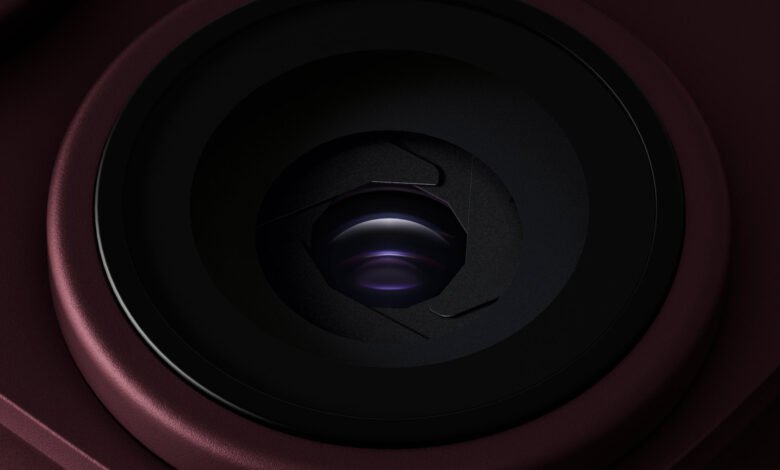
The variable aperture in the iPhone 18 Pro is driven by magnets, and holding a magnet next to the camera module will open and close its blades. A teardown published on 20th September 2026 showed it, and that’s where the claim now going round comes from: that third-party MagSafe accessories could mess with the camera. Nobody has shown that on an assembled phone. Apple’s rulebook for accessory makers doesn’t mention the aperture at all.
What the variable aperture is
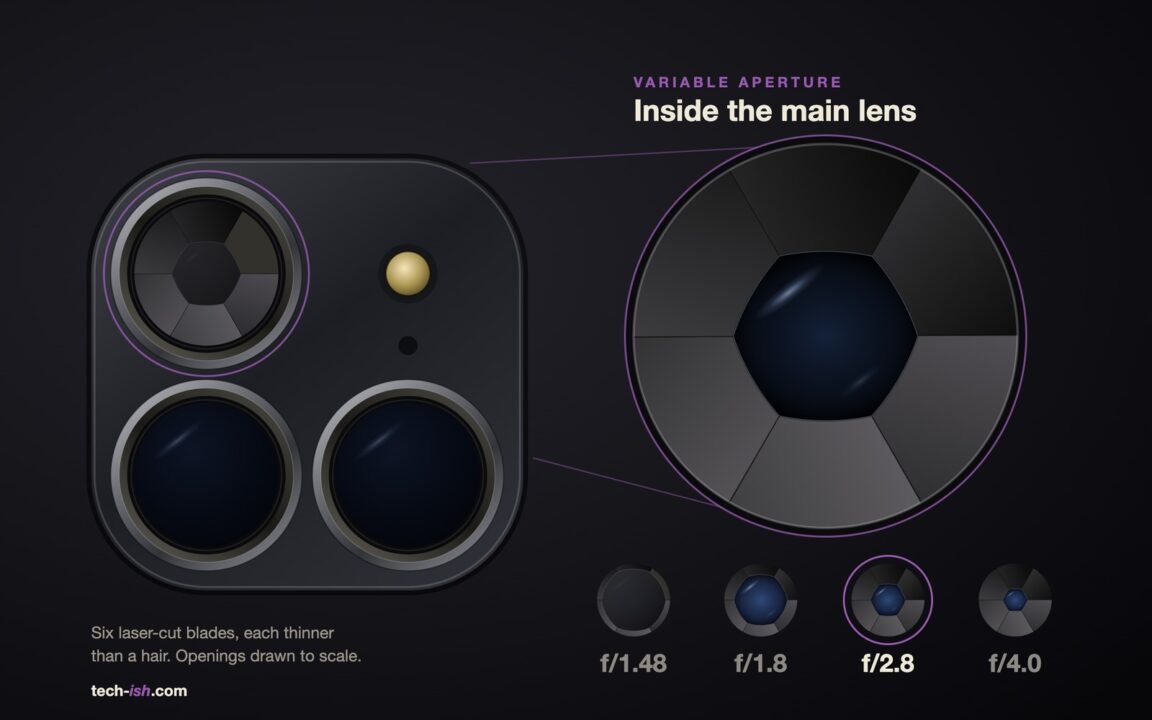
The aperture is the hole light passes through on its way to the camera sensor. Most phones have a fixed one. The iPhone 18 Pro and Pro Max have six blades inside the 48MP main camera that make the hole bigger or smaller, with four settings: f/1.48, f/1.8, f/2.8 and f/4. A smaller f-number means a wider hole and more light. It’s the first iPhone with a moving aperture, which we covered at launch. Each blade is about as thin as a human hair.
Why a magnet moves the blades
Apple says the blades sit on a rotor. Small electromagnets turn that rotor, the same basic idea iPhones already use for autofocus and optical image stabilisation, which is the system that shifts the lens to cancel out shaky hands. An outside magnet pushes on the same parts, so the blades move.
Both tests so far were on bare parts. The teardown, the same one that gave us the eSIM battery sizes, moved the blades with the supporting hardware already stripped away. In a second test, a repair technician took the camera out of an iPhone 18 Pro Max, held a magnet close to it and watched the opening change. The technician said plainly that it wasn’t a test of everyday MagSafe use. The camera still worked afterwards.

What Apple says about magnets and cameras
Apple has warned about magnets near iPhone cameras since at least 2019. Its support page says a magnet near the lens-position sensors can interfere with or temporarily switch off autofocus and stabilisation. The camera keeps taking photos, just without them. The accessories it names are folio covers with magnetic clasps, cases held together by magnets and car mounts that attach with magnets or metal plates near the camera. It doesn’t mention MagSafe or the aperture, and Apple has archived it, so it won’t be updated.
The Accessory Design Guidelines are the rules accessory makers follow. A new release dated 21st September 2026 adds the iPhone 18 Pro. Cases, covers and camera attachments must not interfere with autofocus or stabilisation, and case makers check that with Apple’s own test app. The word aperture doesn’t appear anywhere in its 404 pages.
There’s also a line doing the rounds that Apple has “clarified” its MagSafe chargers are safe for the new aperture. That statement isn’t on Apple’s newsroom, its support pages or in its accessory rules.
Where MagSafe sits
MagSafe is the ring of magnets in the middle of the iPhone’s back, there since the iPhone 12 in 2020. Chargers, wallets, grips and stands all hold on to it. On Apple’s dimensional drawing for the iPhone 18 Pro, the ring is 57.5 mm across and sits below the camera bump. We measured off that drawing: the centres of the three rear cameras are between 2 cm and 4 cm from the edge of the ring.
A magnet’s field falls with the cube of distance, so moving a magnet ten times further away leaves roughly a thousandth of the field. The teardown magnet was held right next to bare parts. A MagSafe wallet sits centimetres away, behind the back glass and usually a case.
So if you use an iPhone 18 Pro with an ordinary MagSafe charger or wallet, there’s nothing to change.
The accessories worth checking
The risk is anything that puts a magnet or steel plate on or right around the camera bump. That means folio clasps, metal plates stuck high up for car mounts, and filter and lens mounts that snap on magnetically and reach over the camera. They’re the same accessories Apple already warned about for autofocus and stabilisation.
If you use one, test it. Open the Camera app, set the aperture by hand to f/1.48 and then f/4, and take the same shot with the accessory on and off. If the shots match, the accessory isn’t doing anything to the blades.
And don’t try the magnet trick on your own phone. The teardown found that very few people anywhere could take the aperture apart and get it back together, so a damaged one means a new camera module.
Two things would change this picture: Apple naming the aperture in its support page or accessory rules, or someone showing an off-the-shelf MagSafe accessory moving the blades on a sealed phone. Neither has happened so far.







Join the discussion