
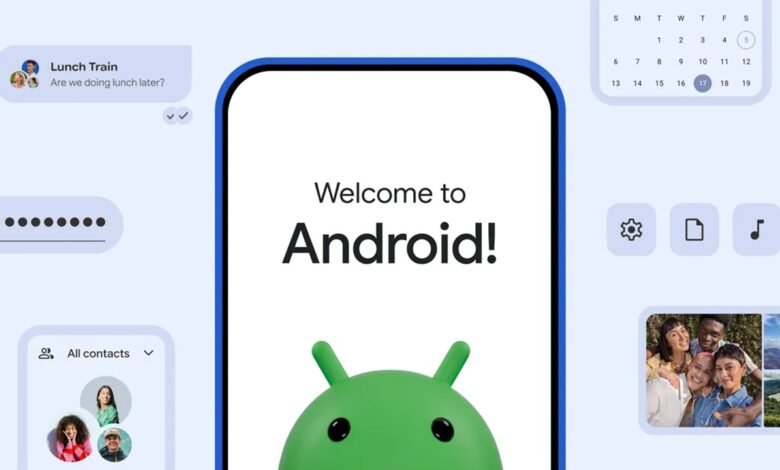
If you’ve been trying to convince your iPhone-using friends to join team Android, Google just handed you a massive bargaining chip. Coinciding with the announcement of Samsung’s latest foldables at Galaxy Unpacked, Google has quietly begun rolling out a major upgrade to Android’s native data migration system, and select Pixel devices are getting first access.
What’s new in Android 17’s switching tool?
Historically, jumping ship from iOS to Android meant downloading a third-party app or dealing with wired connections that didn’t always catch every piece of personal data. Android 17 changes that by baking the entire switching experience directly into the operating system.
The transfer process is entirely wireless and runs natively during device setup. Beyond the usual basics like photos, videos, contacts, text messages, and calendar events, the upgraded tool now migrates critical credentials that used to require manual re-entry:
- eSIM transfers (eliminating carrier store visits)
- Saved passwords & Google Account login
- Wi-Fi network credentials
- Photos, videos, messages, contacts, and calendars
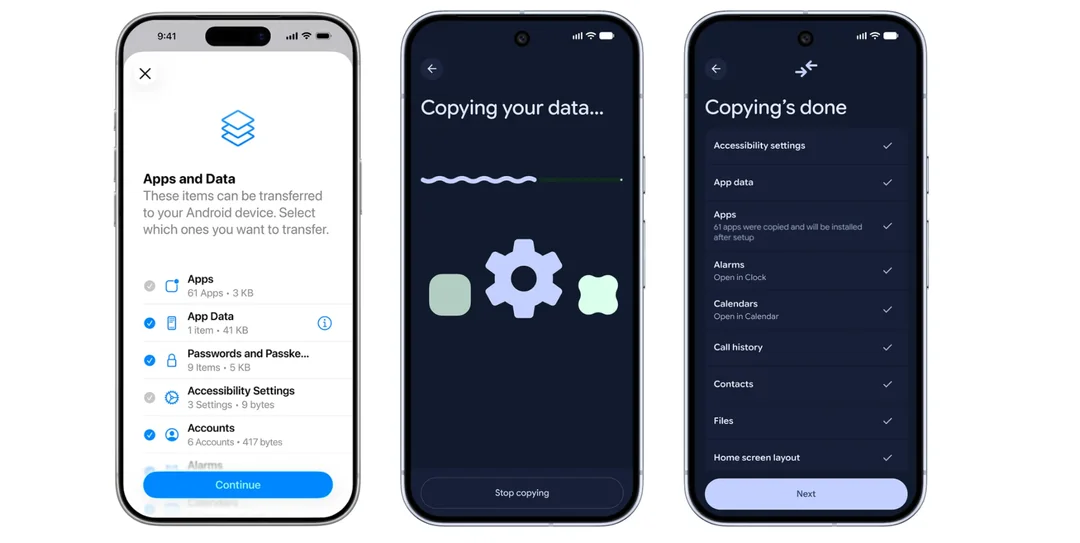
By pulling over network settings and passwords automatically, a freshly unboxed phone becomes fully functional in a fraction of the time.

Rollout timeline: Pixels lead the pack
While the feature made its formal debut alongside the new Samsung Galaxy Z Flip 8 and Z Fold 8 series, Google confirmed that the upgrade has already begun rolling out to Pixel 8, Pixel 9, and Pixel 10 series. As usual, Pixel users get early access to Google’s newest platform enhancements before the rollout expands to the wider Android ecosystem in the coming weeks.
If you’re setting up a Pixel or helping someone make the jump from iOS to Android, head over to android.com/switch for Google’s official walkthrough and compatibility tips. The help center has more details as well.






Join the discussion