

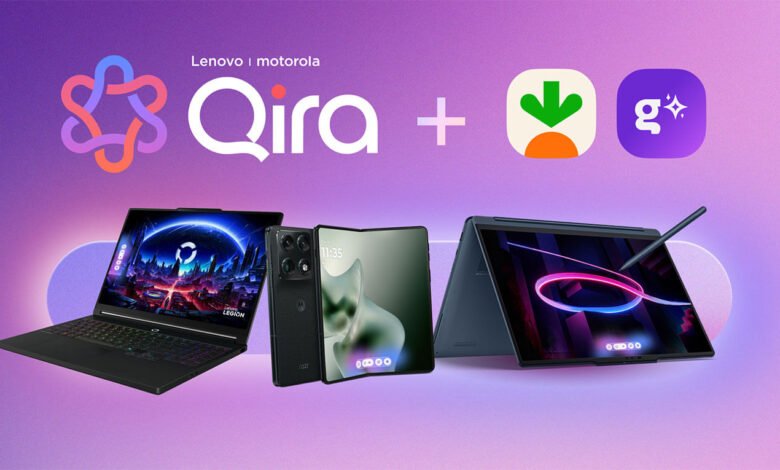
Motorola’s Android 17 update is reaching more of its phones, and on the right ones it brings Qira, the AI assistant Motorola and its parent company Lenovo have been building into phones, laptops, tablets and a watch this year. On 17th November 2026, Motorola’s newsroom listed nine phones already getting the stable update: the Signature, Edge 70, Edge 70 Fusion, Edge 70 Fusion+, Edge 60 Pro, Razr 70 Ultra, Razr 50 Ultra, Razr Fold and Moto G86. Twenty more follow over the coming months.
Qira’s pitch is that it follows you from one device to the next. Motorola’s own example is someone who saves notes about an event on their phone, then carries on planning it on a Lenovo PC without retyping anything. So if you own both, the question is how much of your work makes the trip, and what each device needs first.
Which phones get it
Motorola says Qira reaches “select devices” in the Signature, Razr and Edge families once they’re on Android 17, and Lenovo said the same in its September announcement. Neither mentions Moto G phones, which get Android 17 too. That puts eight of the nine phones above in the right families, though Motorola hasn’t published a model-by-model Qira list. On those that run Moto AI, Motorola’s earlier set of AI tools, the update brings Qira. Two phones already have it: the Signature 27, which we covered earlier this month, ships with Qira, and the Edge 70 Max has had it since July in some regions.
Memory matters too. The fine print on Motorola’s Signature 27 page says Qira features are for eligible phones with 12GB of RAM or more. So check how much RAM your version has.

What moves to the PC
Your account is what links the phone and the laptop. Lenovo’s setup guide says Qira on a PC asks for a Lenovo ID the first time you open it, and you sign in with the same ID on every device to get the cross-device features. On the phone, Motorola says you need a Motorola or Lenovo account.
Once both are signed in, they share three things. The first is your chat history, so a conversation you start on the phone carries on at the laptop. The second is what Lenovo calls Knowledge, the things you’ve asked Qira to remember: replies you save, files you upload (PDF, Word, PowerPoint, text, images and audio recordings, which it transcribes) and meeting transcripts. The third is the pictures you make in Creator Zone, Qira’s image tool, which can be synced between devices.
So if you record a meeting on your phone with Pay Attention, Qira’s transcription feature, or save a PDF to it, it should be there to ask about on your laptop that evening.
What Qira won’t do is reopen the app you were using. For that, Lenovo leans on Smart Connect, a separate app preinstalled on most Lenovo devices, which streams Android apps from your phone to the laptop and mirrors the phone’s screen. Qira can start them if you pair the devices and use the same ID in both apps. That’s a different split from Google’s Googlebook laptops, which, as we explained last month, pick up apps from a Galaxy phone on their own. Qira carries what you’ve saved and said, and leaves the apps to Smart Connect.
You don’t have to sync anything. Lenovo says cross-device sync is user-controlled, and its Qira FAQ describes a Local mode that uses only the AI models on the device and switches sync off. Harder tasks go to the cloud, and Lenovo says it sends only the prompt and the context that request needs.
What the PC needs
Lenovo’s download page, last updated on 17th November, asks for Windows 11, at least 16GB of RAM and 30GB of free space, which drops to about 15GB after installation. The PC also has to be on Lenovo’s list of IdeaPad, Yoga, ThinkPad, ThinkBook and other models, which passed 80 configurations in September. Qira will come preloaded on supported PCs later, Lenovo says, so for now you download it yourself.
We think Qira is worth switching on if you already have both devices. The notes, files and chats it carries over are what many of us email to ourselves between phone and laptop. For now, though, that’s a small group: a Motorola from the right families with 12GB of RAM, a recent Lenovo PC with 16GB, and one account on both.



Join the discussion