
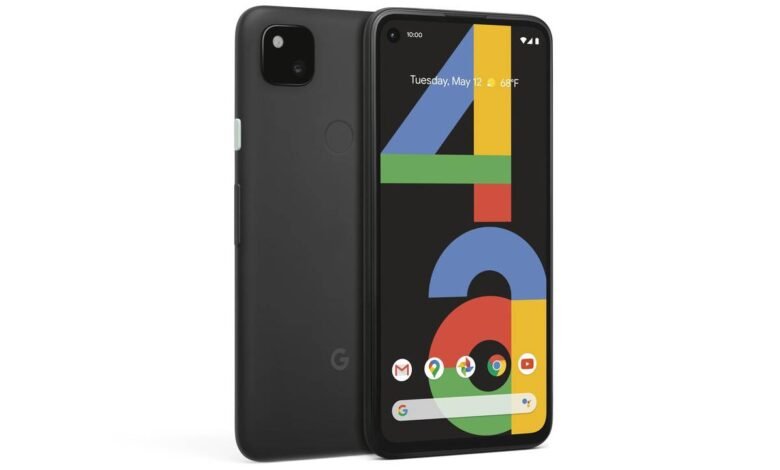
Update (July 31, 2026): Google is rolling out a new July Google Play system update that has finally put this issue to rest with a permanent fix, so be sure to download and install it if not already.
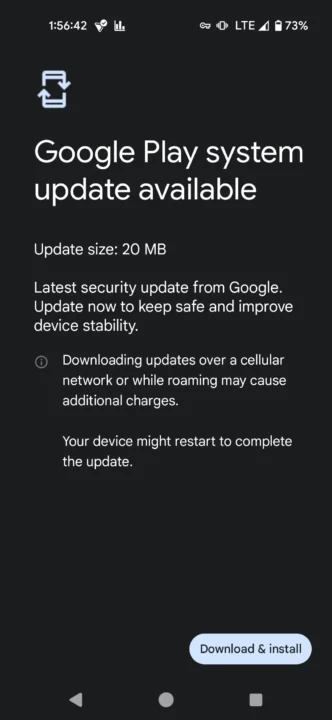
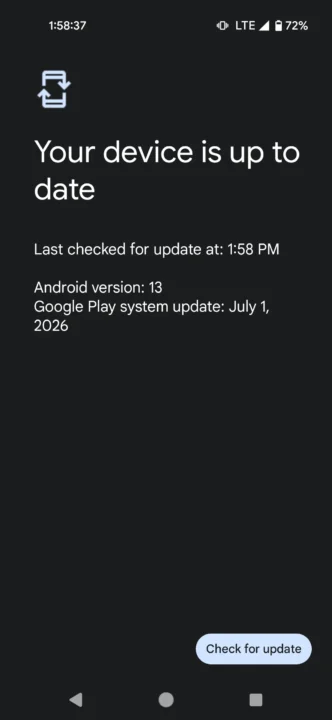
Original article continues:
While users of Pixel 6 and newer models are currently fighting a massive battle over corrupted data partitions, owners of legacy devices like the Pixel 4, Pixel 4 XL, Pixel 4a 4G and Pixel 4a 5G have just been blindsided by a completely separate, yet equally terrifying bootloop crisis.
The Pixel 4a is arguably one of the early Pixel devices locally. It represents the quintessential budget-friendly entry into flagship photography for enthusiasts. Because these legacy devices reached their official end-of-life support cycles long ago, owners felt entirely insulated from buggy monthly software updates. They assumed that because their operating systems were locked in time, their stability was guaranteed.

Unfortunately, a silent component update just proved everyone wrong.
Over the past two weeks, a growing number of Pixel 4, 4a, and 4 XL users have watched their phones suddenly fall into a state of infinite reboots. Because these phones are stuck on Android 13 and no longer receive standard over-the-air (OTA) monthly security patches, investigators on the Android Public Tracker immediately went to work to isolate the culprit.
The technical logs reveal a fascinatingly bizarre architectural bug. Deep within the system logcats, the device termination points to a fatal runtime error:
java.lang.SecurityException: Location mode is disabled for the device.The bug is completely tied to a specific system logic conflict inside the device’s wireless connectivity manager. Through meticulous community testing, the exact trigger conditions have been completely mapped out:
- Wi-Fi OFF + Location OFF > Completely stable
- Wi-Fi OFF + Location ON > Completely stable
- Wi-Fi ON + Location ON > Completely stable
- Wi-Fi ON + Location OFF > Instant system crash and infinite bootloop
The moment your phone has Wi-Fi active while your master Location toggle is turned off, a core system thread (system_server) suffers a fatal exception while trying to scan available network channels, completely crashing the entire user interface within a fraction of a second.
Because this did not arrive via a massive system upgrade like seen on Pixel 6 and newer models, evidence points heavily toward an automatic Google Play services update (specifically targeting components tracked around the May 1, 2026, and early June 2026 metadata packages).
Several users noted that the onset of the bootloop perfectly coincided with a background push from Google introducing the newly rebranded “Find Hub” network (Google’s offline device tracking ecosystem). It appears that the updated Play Services framework fails to cleanly handle instances where the phone attempts aggressive network/Bluetooth scanning for tracking purposes while location permissions are completely withheld by the user, resulting in an infinite software loop.
Potential workaround for Pixel 4 and 4a bootloop issue
Because the phone crashes and reboots within less than a second of hitting the lock screen, affected users have found themselves completely locked out of their devices. Turning the phone on normally or booting into standard Safe Mode fails because the phone instantly scans for a local Wi-Fi router, triggers the security exception, and reboots before a user can even swipe down the notification shade to turn Location back on.
Faced with losing years of irreplaceable local data, banking apps, and two-factor authentication (2FA) tokens, the tech community has come up with some of the most ingenious, desperate engineering workarounds I have ever seen.
If your Pixel 4 or 4a is currently looping endlessly, do not perform a factory reset. Instead, use one of these proven community extraction methods to break the cycle and change your settings:
Method 1: The isolated router kill (best for rural/isolated areas)
- The logic: If your phone can’t see a Wi-Fi signal, the underlying code won’t execute the broken scanning thread even with Wi-Fi enabled, thus preventing the crash.
- The steps: Unplug your home internet router entirely so there is no active local network to broadcast. Force-boot your phone into Safe Mode (hold Power + Volume Down during startup). If you don’t have close neighbors with active Wi-Fi, the phone will load into Safe Mode smoothly, allowing you to quickly unlock it and toggle Location Services to ON.
Method 2: The aluminum foil technique
- Completely wrap your looping Pixel device in two tight, seamless layers of standard household aluminum foil.
- The foil acts as a crude Faraday shield, entirely blocking external radio signals.
- Boot the device into Safe Mode (hold the Power + Volume Down buttons during startup).
- Because the foil blocks your local Wi-Fi router’s signal from hitting the antenna, the phone will fail to locate a network, preventing the fatal crash thread from executing.
- Once the home screen stabilizes inside the foil, quickly unwrap a small section, unlock your device, swipe down your quick settings panel, and immediately toggle Location Services to ON.
Method 3: The microwave oven cage
If aluminum foil fails to block a highly aggressive Wi-Fi signal in a dense apartment building, users have discovered an alternative radio shield: your kitchen microwave.
- Initiate a Safe Mode boot sequence on your phone.
- The exact moment the colourful Google logo transitions to the standard “G” animation, place the phone upright inside your household microwave oven and close the door completely. (Warning: Do NOT turn the microwave on!)
- The structural mesh and metal lining of a microwave oven act as a highly effective Faraday cage, dropping all local Wi-Fi and cellular ambient signals instantly.
- Watch through the glass door. Once the phone passes the danger window and stabilizes on the safe mode home screen, open the door, keep your hands inside the unit, and quickly toggle your GPS/Location settings to ON.
Method 4: The empty football field escape
If you prefer a less claustrophobic approach, several users have successfully recovered their devices by walking or driving to the middle of a local football pitch, park, or large open parking lot completely out of range of any active Wi-Fi broadcast networks. Once isolated from Wi-Fi signals, the phone will boot cleanly into Safe Mode, allowing you to turn Location back on without a single crash.
Once you successfully navigate this workaround and force Location to remain permanently ON, your Wi-Fi will connect normally, and the bootloop will completely vanish. Also, since users report the issue started after the Google Play services v26.20.31 update, be sure to update to the latest version 26.23 released this week for potential fixes for the Pixel 4 and 4a bootloop issue.
It is entirely ridiculous that an automated background update from Google has effectively forced users to keep their tracking services active under the threat of bricking their hardware. For an average everyday user, this bug turns an incredibly reliable phone into a terrifying liability. Until Google deploys a formal emergency Play Services patch to gracefully catch this security exception, make sure your location settings remain enabled at all times.






This should now be fixed by with the July Play services update – https://www.reddit.com/r/Pixel4a/comments/1v9erop/wifi_on_location_off_bug_is_fixed_with_july/
Any update on this? My Pixel 4 is stuck in a boot loop.
should be fixed by now. Just update your phone with the july play services update.
Thanks for this article ! You save my phone and my nerves.
In my case boot loop was very fast, i could\’nt rich the safemode or poweroff button… Solution ? –> Icebrick under the phone ! Maybe it slow process..? With it refreshing the phone i had time 😀
Wait for update now…
Thanks again from France
Follow up info: https://www.androidauthority.com/pixel-4a-boot-loop-fix-3683547/
The July Play Services update (v.26.26) has been released on 2026-07-13.
https://support.google.com/product-documentation/answer/14343500?hl=en
I can\’t install for the moment. Did anyone managed to do so ? Is there any improvement with this bootloop issue ? (reviews don\’t mention it)
Apparently the June play services update does not fix the issue, according to a German forum: https://www.android-hilfe.de/forum/google-pixel-4a.3703/boot-loop-nach-sicherheitsupdate-april-2026.1323353-page-4.html
And contrary to what Google support told me some days ago. it\’s frustrating.
I just checked the forum, and my Google Translate implies the person doesn’t yet know if the update fixes since they just updated, and they are asking for feedback from others who’ve installed it. Curious if you’ve installed the update?
I don\’t manage to install the update : my phone is stucked on the 1rst May one, and doesn\’t find anything when searching for new updates.
Do other people encounter the same trouble ?
I\’m based in Portugal and got the June play services update (check somewhere under Settings/updates section). I\’ve install it but according to another German page the June update didn\’t solve the bootloop issue: https://tech-ish.com/2026/06/16/pixel-4-pixel-4a-bootloop-google-play-system-update-wi-fi-location-bug/
So for the moment I still need to use the phone with both wifi and location permanently ON.
EDIT: Now with the correct link: https://www.android-hilfe.de/forum/google-pixel-4a.3703/pixel-4a-play-system-updates-nach-supportende.1114369-page-4.html
26.23 update to Google Play Services did not resolve this issue for my Pixel 4a. I celebrated the update by disabling airplane mode, but instantly the phone went back to infinite bootloop. Safe mode and microwave oven Faraday cage got it back to operational mode. I’m so tired of losing battery life and privacy to always-on location mode.
Your article really saved me. I was exhausted after 3-4 hours of struggle. Tried everything from try again to recovery mode, then adb thing. But nothing was working. I am currently in a foreign country and really needed my phone to work for local travel and such. I was about to factory reset but thankfully came across your article and method 1 worked for me. Really appreciate your help. Thanks again.
Thanks for this. The Fridge worked for mine. I had to turn off my router, then power on the device holding Power + Volume Down for safe mode. Then immediately put it in the fridge and locked the door. After some minutes I opened the fridge, entered my sim pin and unlocked the pattern, then turned off the wifi, tuned on location, then wifi back on.
Thank you very much for your post. I tried many things to exit the bootloop (life ADB sideload) with no success. I was about to go for a factory reset (and thus wipe all my data and settings) when I found your article. Worked very well for me (I started my phone in a Faraday cage and then abled localization).
Thanks for this article – good explanation and it helped me work through this stupid, stupid glitch. I quickly powered up my phone and turned on location while travelling down an elevator which was blocking all WiFi.
You’re welcome.