
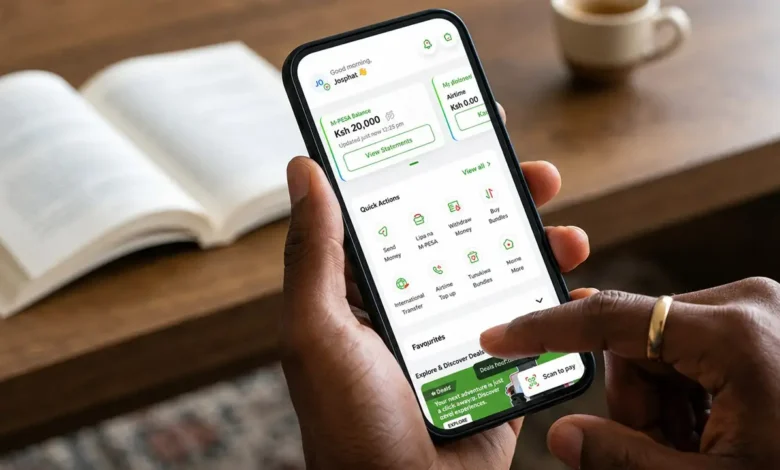
When Safaricom first introduced My OneApp a few months ago, it was clear they were taking a huge leap toward building an all-in-one super app. Lately, the telco has been aggressively pushing adoption. From actively nudging users to switch to My OneApp away from the legacy app to sweetening the deal by allowing users to send M-PESA money for free.
I’ve been keeping a close eye on how the app evolves, and credit to Safaricom: they aren’t just pushing downloads; they are actively shipping major functional updates.
Last week, Safaricom rolled out version 5.1.10 on both Android and iOS. While the Google Play Store update log remained subtle, the Apple App Store release notes reveal one of the biggest feature drops we’ve seen yet. From granular home internet controls to removing friction across M-PESA payment flows, here is everything new in My OneApp version 5.1.10.
1. Home Internet gets serious with security, Quiet Time & DStv management
Safaricom Home Fibre users are getting the biggest upgrade in this release. Instead of forcing you to use web portals or separate customer care channels, version 5.1.10 turns My OneApp into a legitimate network control center.

Enhanced security & parental controls
Under Quick Actions → Home Internet → Home Fibre, you’ll now find a full suite of network management tools:
- Parental controls: Easily filter content and manage what your family can access online.
- Screen time management (“Quiet Time”): Schedule internet access times so you can turn off Wi-Fi access during bedtime or family dinners.
- Anti-virus & anti-phishing protection: Built-in safeguards at the router/network level to protect connected devices against malicious links and web threats.
Navigation: Quick Actions → Home Internet → Home Fibre
Direct DStv package management
In the same Home Fibre menu, Safaricom has integrated DStv management. You no longer need to jump out of the app to renew or manage your satellite TV entertainment. Going forward, My OneApp lets you buy brand-new DStv packages and upgrade your existing subscription directly during your Home Internet management session.
2. Frictionless checkout: Shiriki Wallet, M-Ratiba & M-PESA Daima payments
One of my biggest gripes with super apps is when simple tasks require opening mini-apps within mini-apps. Safaricom has clearly paid attention to user behaviour and trimmed down several payment flows.
Direct checkout options
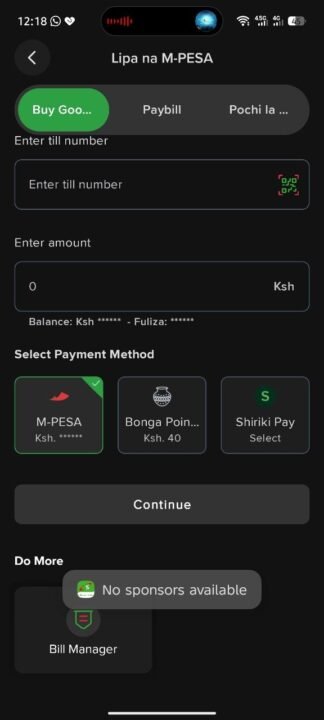
- Shiriki Wallet at checkout: You no longer need to launch the Shiriki mini-app first. When paying via Lipa na M-PESA, Shiriki Wallet now appears directly as an available payment option on the final checkout screen.
- Path:
Lipa na M-PESA→Payment Method→Shiriki Wallet
- Path:
- M-Ratiba recurring payments: Setting up recurring bills used to be a multi-step chore. Now, you can convert a payment into an M-Ratiba standing order right on the payment screen as you complete a transaction.
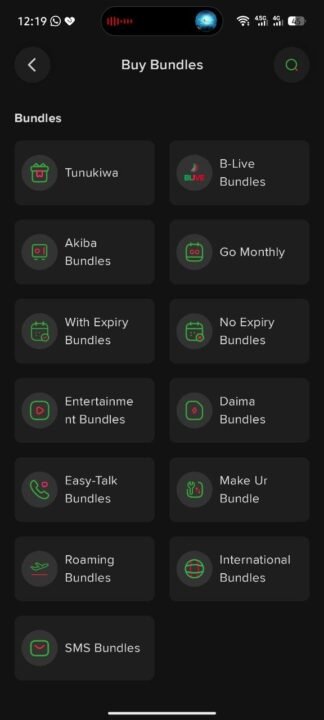
- Daima bundles via M-PESA: Previously restricted to airtime purchases, you can now buy Daima bundles directly using your M-PESA balance.
- Path:
Quick Actions→Buy Bundles→Daima Bundles
- Path:
International Money Transfer (IMT) upgrades
For diaspora transfers and global transactions, Safaricom has added a “Send to Agent” option under International Money Transfer. This gives recipients back home significantly more flexibility when picking up funds abroad or locally.
3. Smarter navigation & interface refinements
Outside of new features, Safaricom cleaned up several UI bottlenecks to make the overall user experience snappier.
Old Bundle Path:  Quick Actions → Buy Bundles → Calls & Minutes (3 Steps)
New Bundle Path:  Quick Actions → Buy Bundles (2 Steps)
- Faster bundle purchases: Safaricom cut down the steps required to access Easy Talk and Daima Bundles from 3 steps to 2, making discoverability far more seamless.
- Refreshed Mini-App categories: The Home Page UI for mini-apps has been redesigned with cleaner visual categorizations. As Vodacom continues its expanding super-app vision with over 200 mini-apps, visual organization will be crucial to prevent clutter.
- Dark mode stability: Previous iterations suffered from weird contrast glitches and layout bugs in dark mode. Version 5.1.10 addresses these usability issues directly for a much smoother night-time experience.
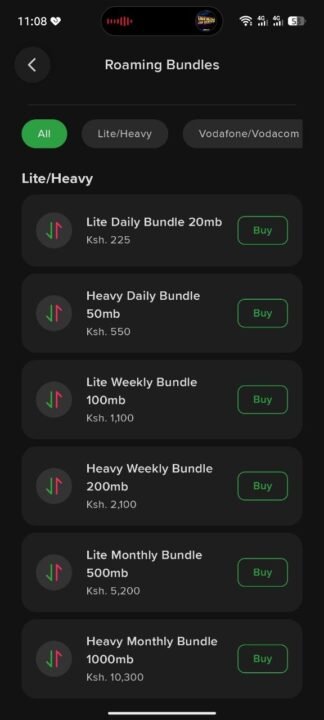
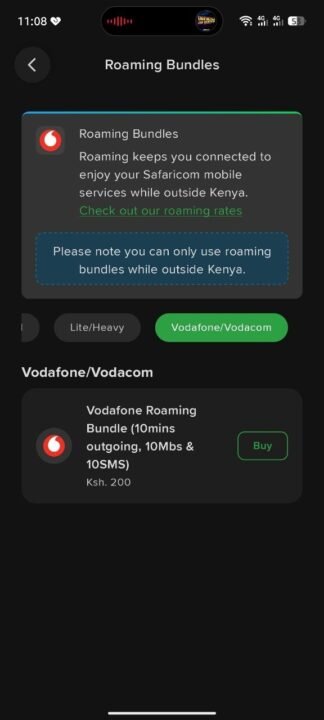
- Roam Like Home bundles: Traveling abroad? You can now buy discounted Roam Like Home bundles (ranging from Lite/Heavy daily and weekly packages to dedicated Vodafone/Vodacom roaming passes) directly from
Quick Actions → Buy Bundles → Roaming Bundles.
The Super App is growing up
Safaricom deserves serious credit for this update. Version 5.1.10 isn’t just a routine bug-fix patch; it actively tackles real user pain points by cutting down checkout steps and giving Home Fibre users true network management tools. While this update represents a massive leap forward, there is still room to grow. For instance, as power users manage multiple lines across family and business, we recently polled readers on whether Safaricom should allow multiple phone and M-PESA numbers in My OneApp, a feature that would truly solidify its status as an unshakeable daily driver.
Have you updated My OneApp to version 5.1.10 yet? Let us know which new feature you’re using most!









Join the discussion